Draw the site plan the fiber actually runs
Sheet G-109 · from the in-app Guide · updated 2026-10-17
The short version
- Start on a blank grid at a scale you pick, or place pages of the site .pdf — they stay vector and sharp at any zoom.
- Drag racks on from the list; draw runs (R) between them the way the fiber is pulled.
- Every trunk line riding a run gets a measured length to check against its stock.
- Layers, classes, sheets and viewports print an overall plan and a fiber plan per zone.
01Get the site in
Start with no background and a scale, or place a background: pick pages from a multi-page PDF and each becomes its own background. Type the scale printed on the page, or calibrate by clicking two points a known distance apart. Line up with another page solves scale, position and turn from two matching features, so the overall plan and each zoomed zone page sit on one map.
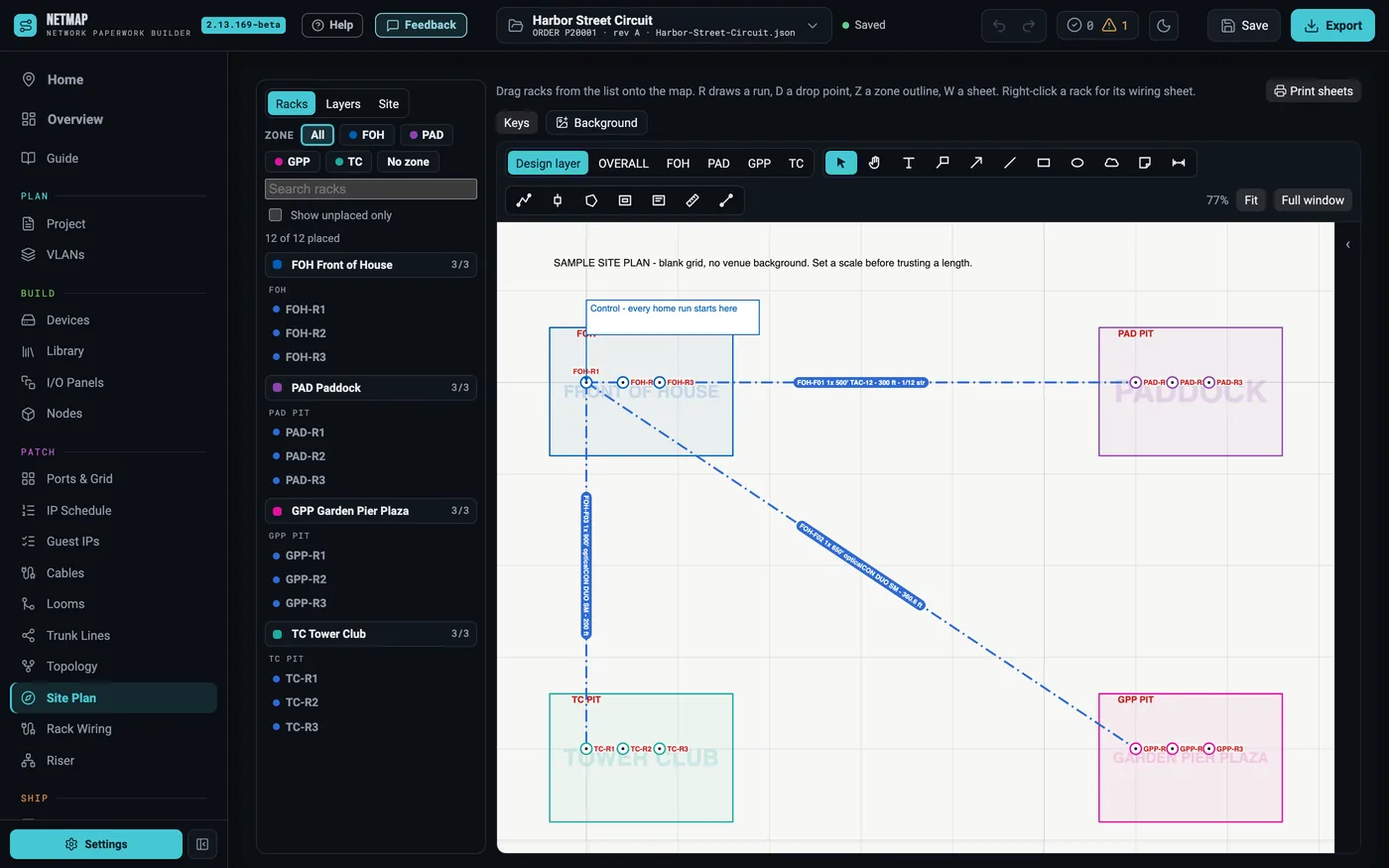
02Racks and runs
Drag racks on from the list — grouped by zone and pit, with Show unplaced only to see what is left. Run (R): click a rack, click the bends, click the far rack; the length shows as you draw. Pick the category first — demarc home run, rack to rack fiber, DMX snake — and the trunk lines between those racks ride the run. A run's tag reads its cable, length and strands; a spare pair carried through barrels draws beside the runs it rides.
03Works like CAD
Design layers, classes (your own too, nested by name) and sheet layers with viewports you place freely. Crop a sheet or a viewport to any shape, with numbered continuation marks where a run leaves it. Text, callouts, clouds, arrows and dimensions go on the master page, where they show on every sheet whose frame they fall inside, or on one sheet only.
04Measured against what you entered
Every trunk line riding a run gets the run's measured length beside the length you typed, and a run longer than its stock (plus slack) is flagged.
05What prints
An overall sheet and one fiber plan per zone, in the style of a lighting fiber plan: a faded site drawing, colour-coded runs, rack tags, a legend, a north arrow, a true scale bar and a key plan with the zone highlighted — on native 36×24 or readable on 11×17.
The site plan is included on every tier — no add-on