Network & systems documentation · live events

Spec the show network.
Ship the drawing set.

netmap turns your rack builds, IP plan, VLANs and DMX universes into a complete, print-ready drawing set — rack elevations, switch-port maps, cable schedules and universe maps. The paperwork a show package actually needs, drafted in one place.

Desktop app · macOS + Windows Runs fully offline Your show data stays on your machine
Project
Lollapalooza 2026
Sheet
E-101
Rev
C
FOH Rack · front elevation
0807060504030201 CORE · M4250-40G8XF MA PROCESSOR UNIT NODE ·8U PATCH · 24-PORT I/O PANEL · 22×4 NET POWER · 21922-67 8 RU
Master IP schedule · excerpt
DeviceAddressVLAN
CORE-SW-0110.224.0.11MGMT
MA-NPU-0110.224.0.24CTRL
NODE-FOH-0110.224.1.16sACN
Phase 01 · Plan

Start with the scheme.

SHT E-100

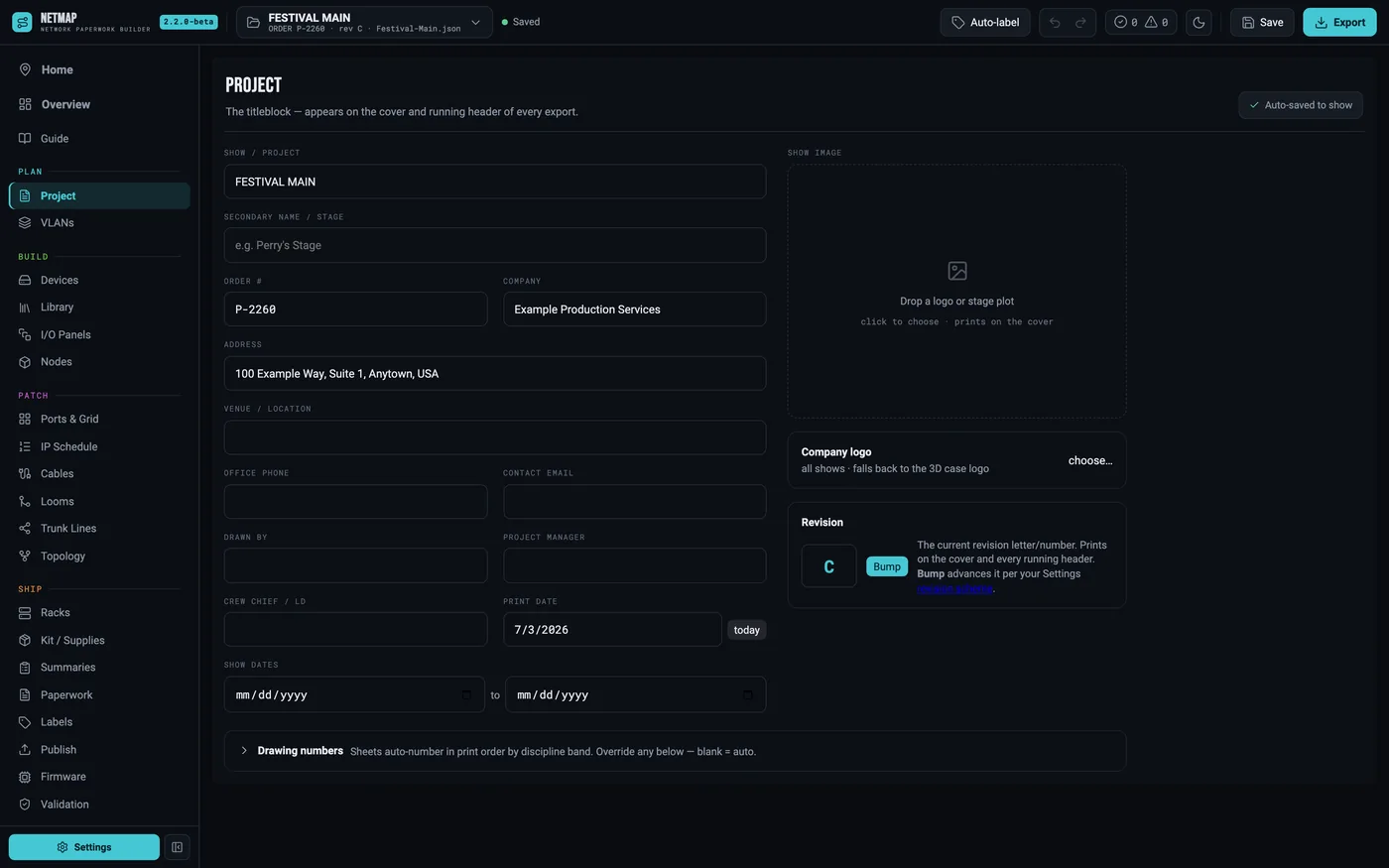
Before a single device exists, the show has an addressing scheme. The title block says whose book this is; the VLAN legend says how the network thinks.

One legend rules the whole book

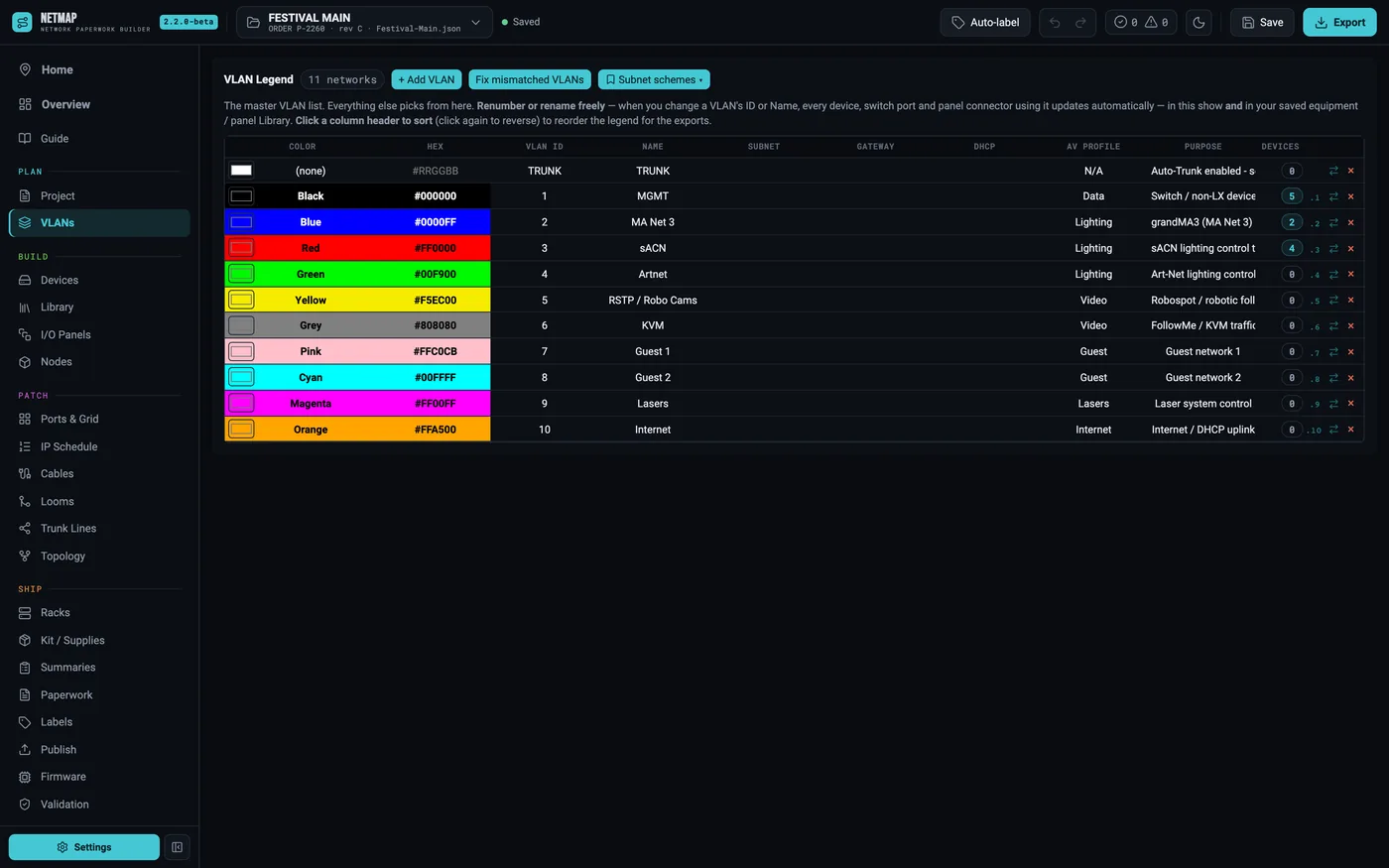
Every VLAN gets a number, a name, a color, a subnet scheme and an IP start. That row travels everywhere — grid cells, port maps, coding rings, labels, prints.

Renumber freely

Change a VLAN's id or name and every device, switch port and panel connector using it follows — in the show and in your saved library.

The per-VLAN subnet schemes set here drive the IP planner later. Design the addressing once, at your desk, before the gear ships.

Project
Lollapalooza 2026
Sheet
E-100
Rev
C
Project tab with the show title block: name, client, order number, dates, designer
Project tab — the title block
Project
Lollapalooza 2026
Sheet
E-100
Rev
C
VLANs tab: the color legend with per-VLAN subnet and IP start schemes
VLANs tab — the legend
Phase 02 · Build

Model the rig once.

SHT E-200

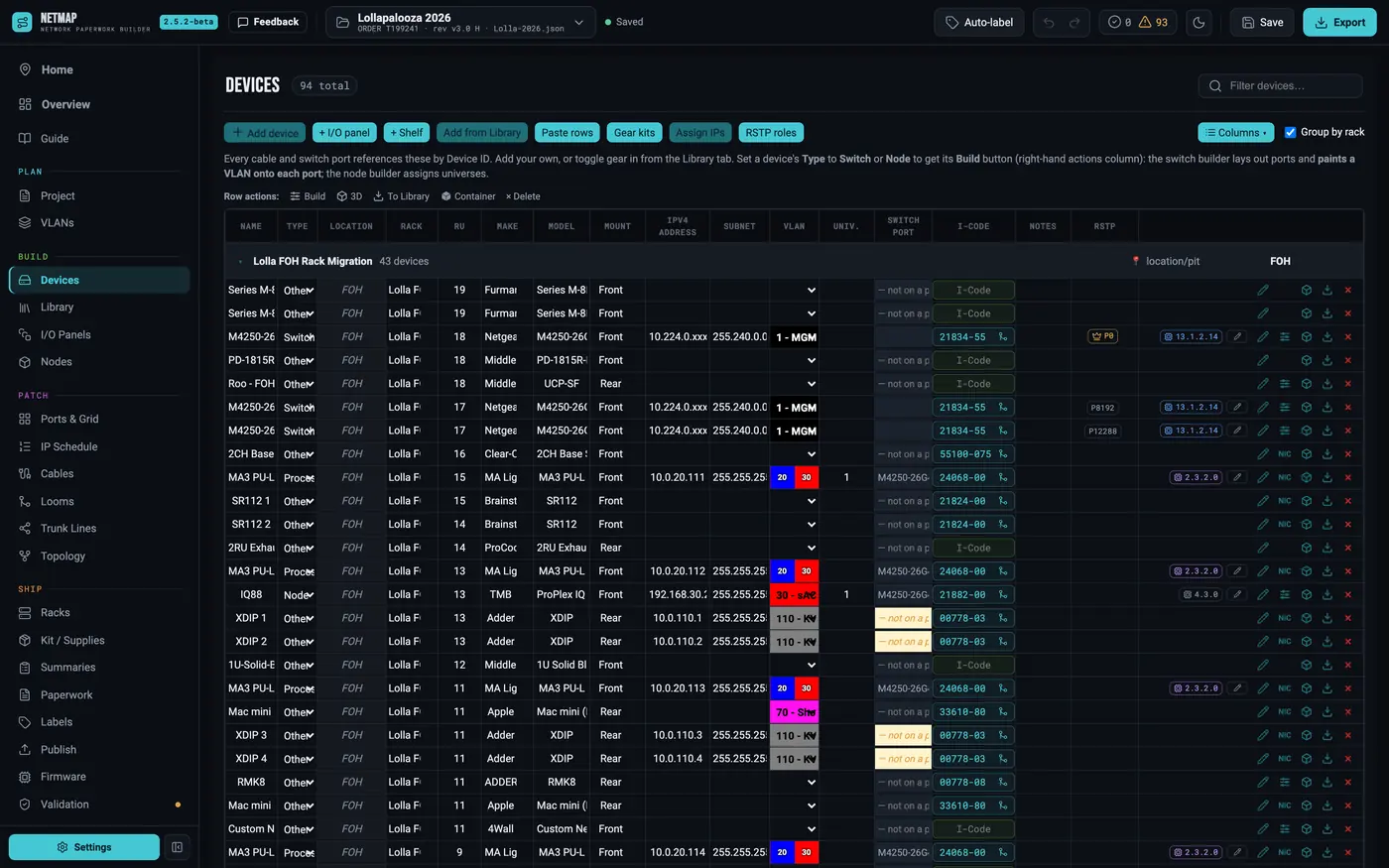
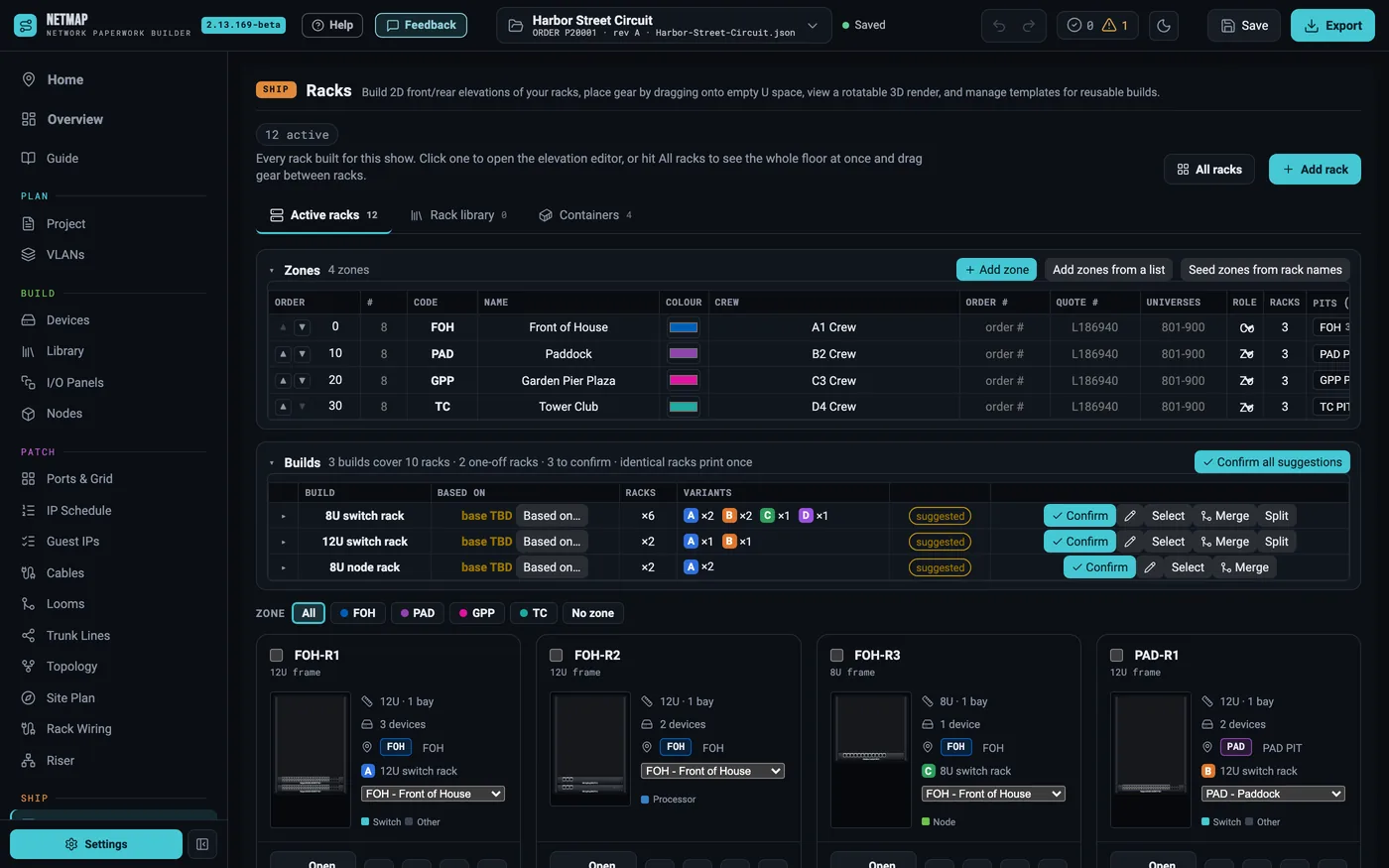
One row per piece of gear — typed in, pasted from a spreadsheet, or pulled from the library you have been building since the last tour.

The next show starts where the last one ended

A reusable gear library, saved panels, and touring containers that come back with their gear and switch-port assignments in one click.

Community equipment library

Real-world gear added by netmap users — port layouts, RU, power, faceplates — human-reviewed before it ships. Included with Pro.

The rack draws itself

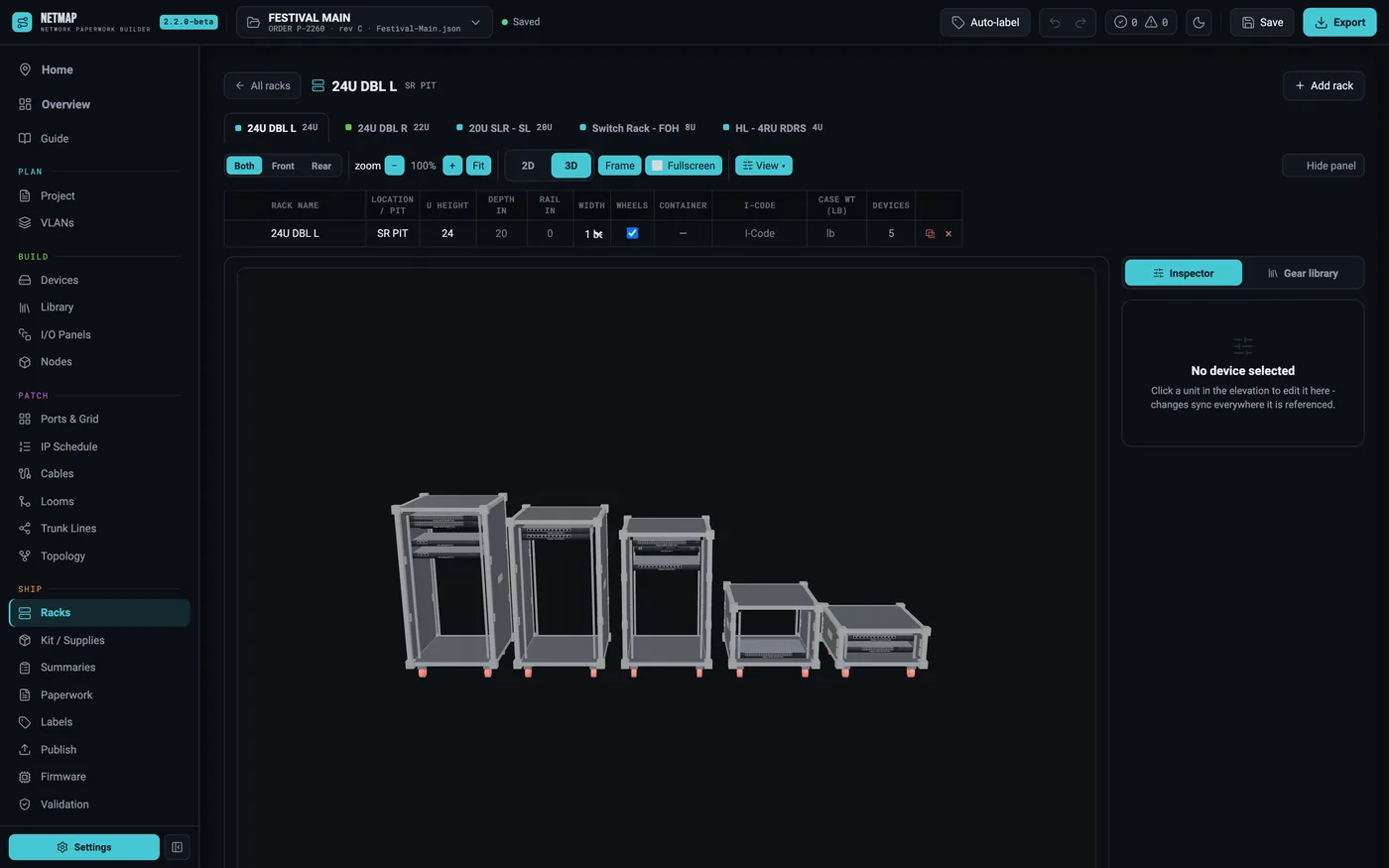
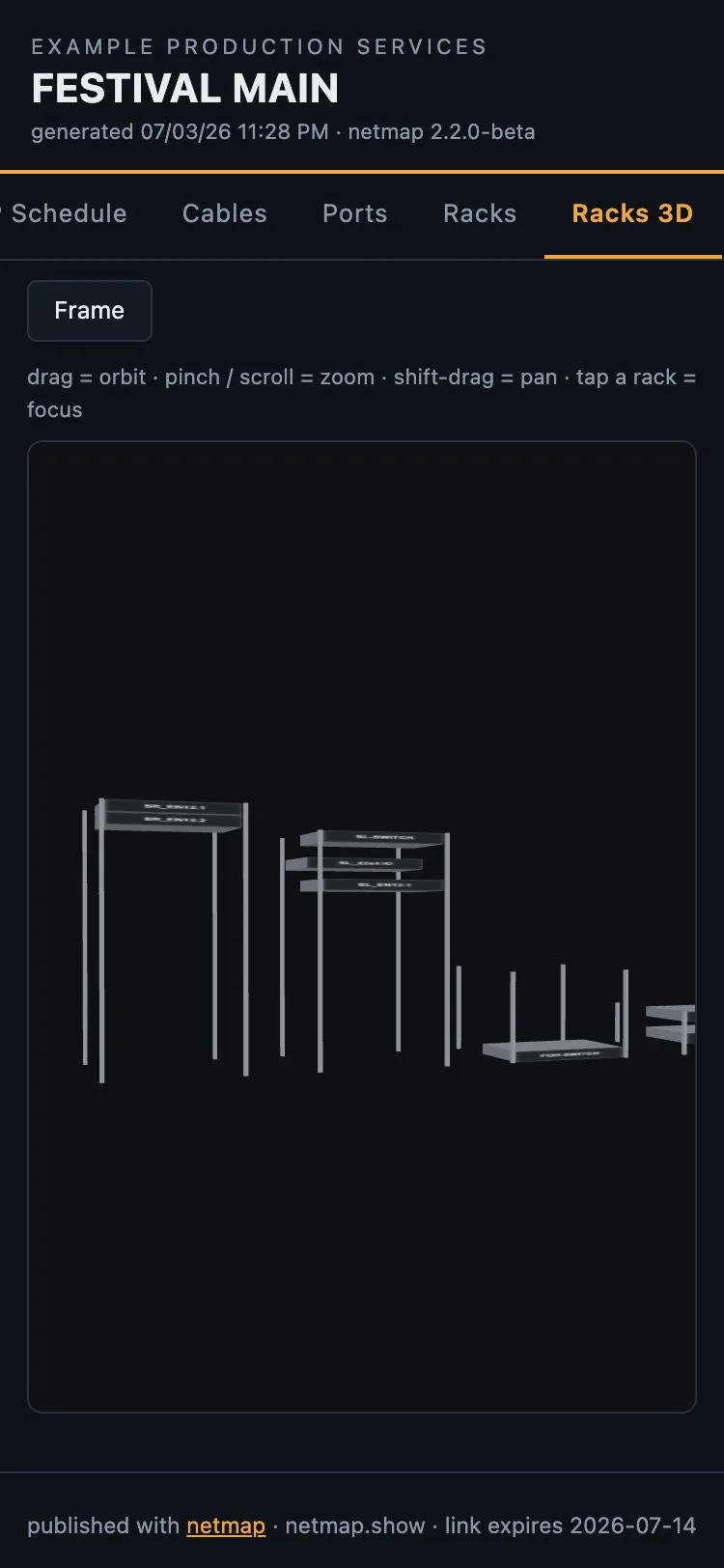
Give a device a rack and an RU and the elevations exist — front, rear, and a 3D flight case you can orbit.

0devices in the Lolla rig 0racks · drawn to scale
Project
Lollapalooza 2026
Sheet
E-200
Rev
C
Devices tab listing the Lollapalooza 2026 rig with VLAN color cells, grouped by rack
Devices tab — the master list
Project
Lollapalooza 2026
Sheet
E-200
Rev
C
Community equipment library modal with search results and credit lines
Add from netmap library
Project
Lollapalooza 2026
Sheet
E-201
Rev
C
3D rack render orbited to a three-quarter angle with faceplates on
Racks tab — 3D elevation
Phase 03 · Patch

Patch it before the truck.

SHT E-300

The deepest phase — and the one the site can't fake. Four screens, one rule: nothing is typed twice, and validation runs live the whole way down.

STEP 01 · 04

Ports & Grid

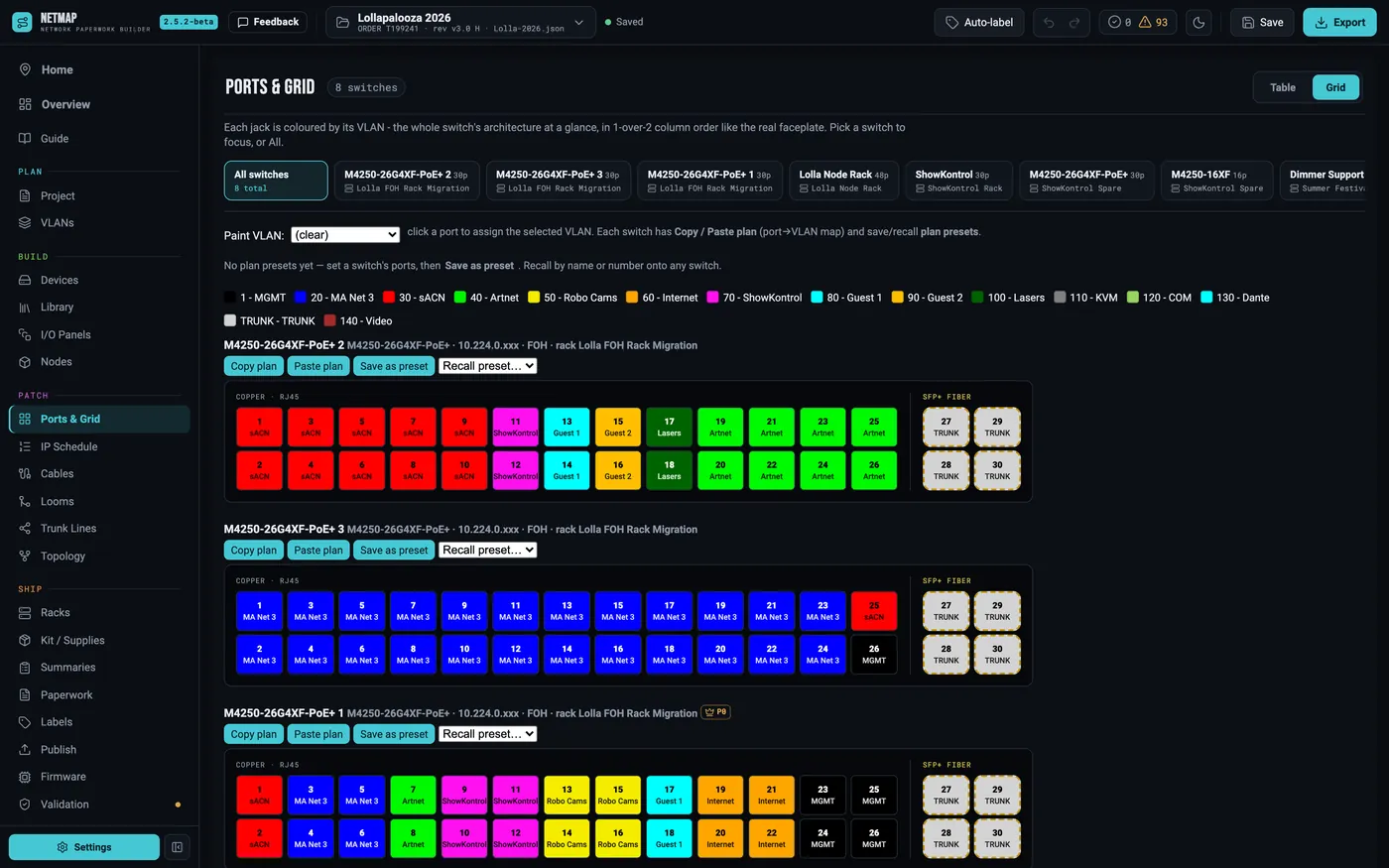
Paint VLANs onto the switch face. The whole architecture at a glance, in faceplate order — copy a plan, stamp it onto the next switch.

Project
Lollapalooza 2026
Sheet
E-301
Rev
C
Switch grid with VLAN colors painted onto ports and a trunk port visible
Ports & Grid — paint VLANs
STEP 02 · 04

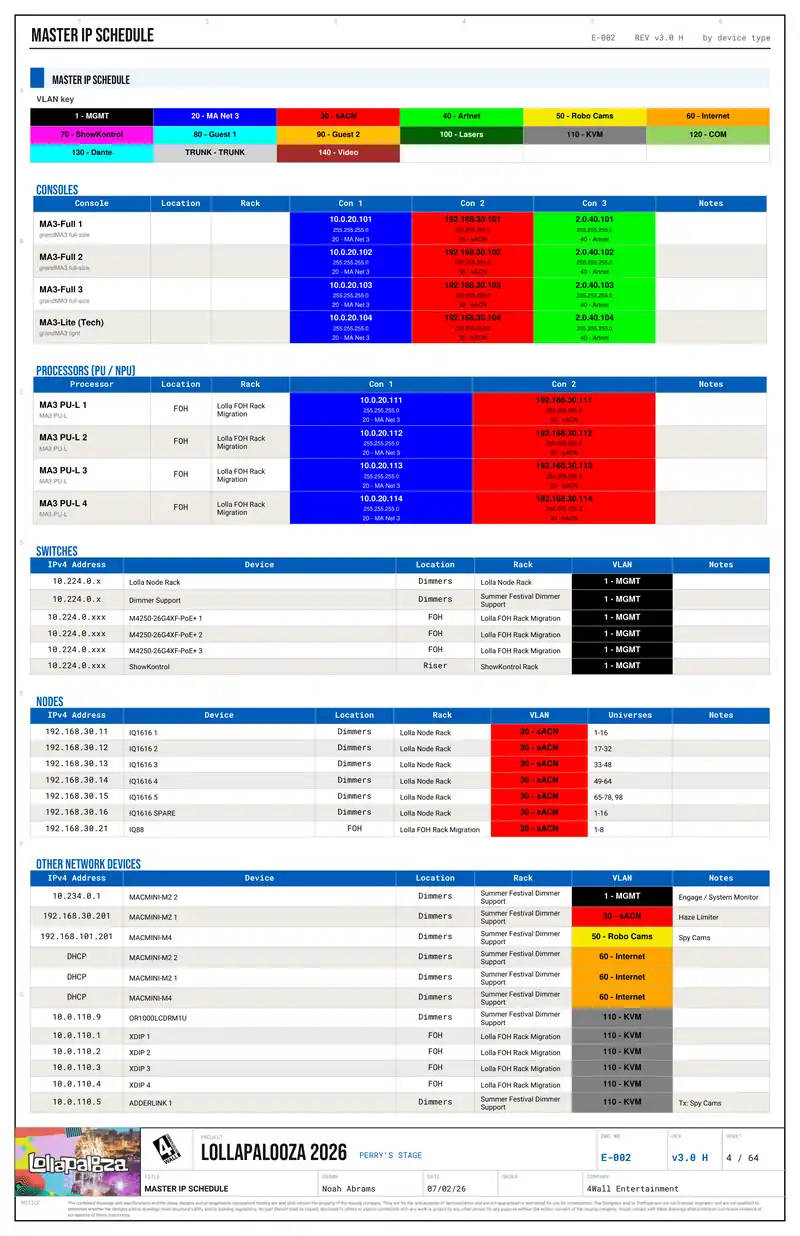
Master IP Schedule

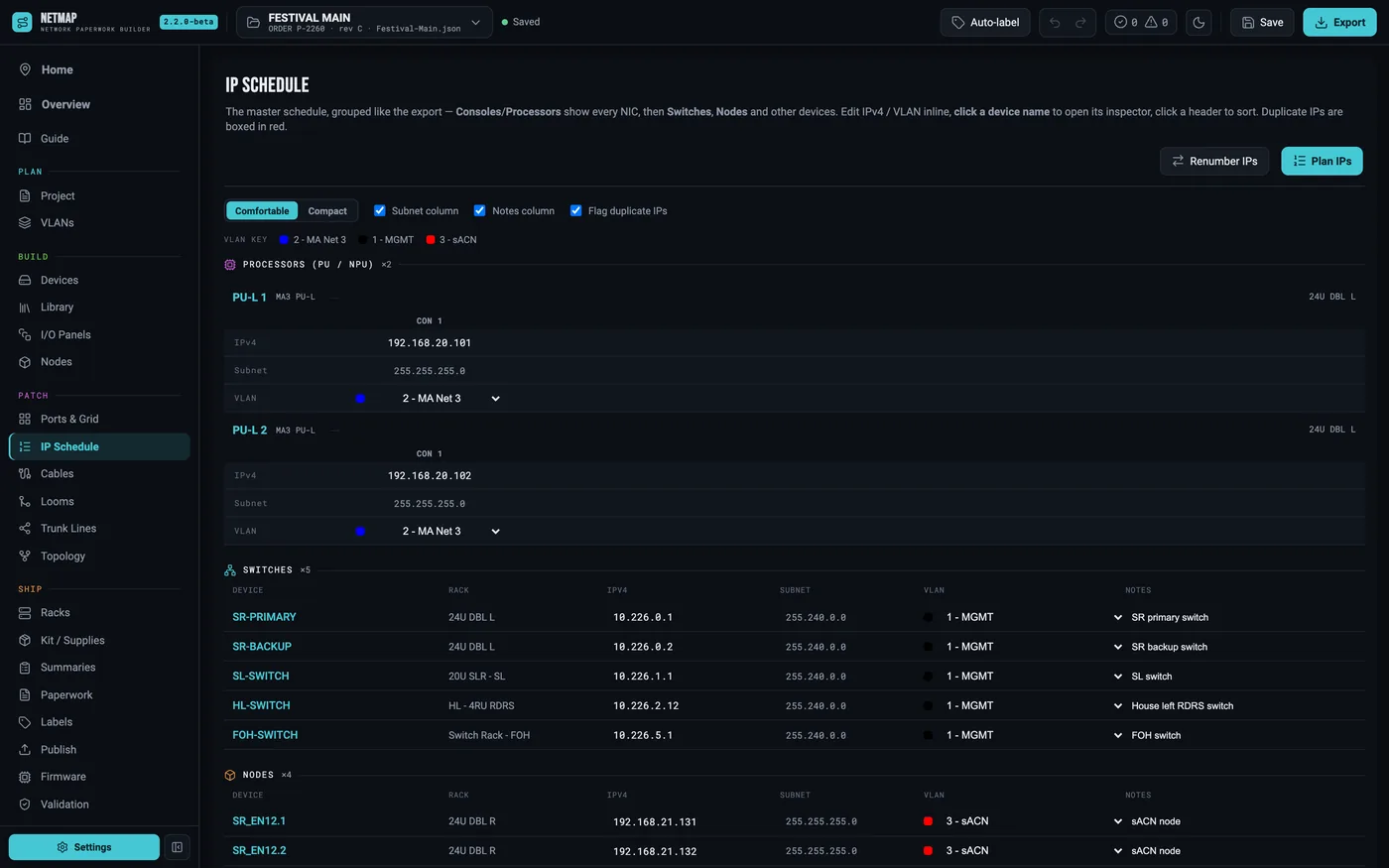
Every device, every NIC, live and editable. Consoles side by side, nodes with their universes, duplicates boxed in red on the spot.

Project
Lollapalooza 2026
Sheet
E-311
Rev
C
IP Schedule tab with grouped device sections, addresses and VLAN chips
Master IP Schedule
STEP 03 · 04

MVR import

Pull the plot straight from Vectorworks. See the whole rig in 3D, fixtures colored by universe, with patch conflicts flagged while the fix is still free.

Project
Lollapalooza 2026
Sheet
E-321
Rev
C
MVR / Patch tab with the 3D fixture plot on: the imported rig orbited in 3D, fixtures colored by universe
MVR import — 3D fixture plot
STEP 04 · 04

Looms

Spec a loom once — identity color, tape marker, member legs. Stamp both ends and every leg lands in the cable schedule.

Project
Lollapalooza 2026
Sheet
E-331
Rev
C
Looms tab with the stock loom library and the loom editor showing member legs
Looms — build sheets

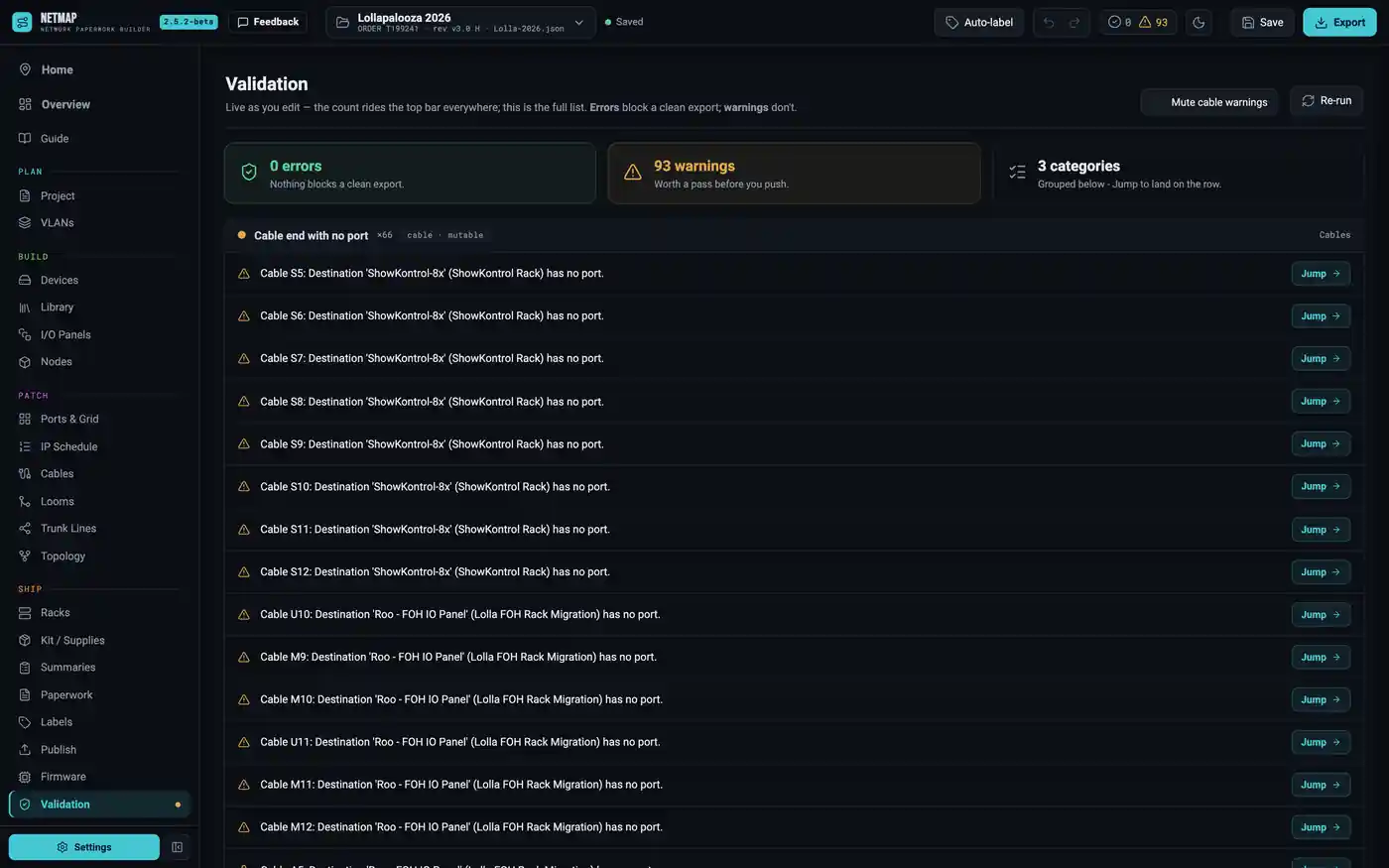
Validation runs live the whole time — duplicate IPs, a port used twice, a VLAN missing from the legend. The mistake gets caught at your desk, not at the dimmer beach.

Phase 04 · Ship

One click. The whole book.

SHT E-400

The gate first: a green board. Errors block a clean export; warnings don't lie about themselves.

Then the export — a branded drawing set with title blocks, a drawing register and revisions. Portrait, landscape 17×11, or ganged four-up onto Arch D for the plotter. PDF and Excel, every time.

0sheets in the Lolla book 2formats · pdf + xlsx
Project
Lollapalooza 2026
Sheet
E-400
Rev
C
Validation tab with zero errors blocking export and the grouped warning list
Validation — zero errors
Exported drawing-set cover page E-000 with the show title block
CoverE-000
Exported rack elevation page: front and rear, to scale, with title block
Rack elevationE-502
Exported Master IP Schedule page, every NIC sorted and VLAN-aware
Master IP scheduleE-002
Exported DMX universe map page with node assignments
Universe mapE-303
Exported I/O panel build sheet: the panel faceplate with per-panel connector schedule and parts list
I/O panel build sheetE-519
Labels ride along

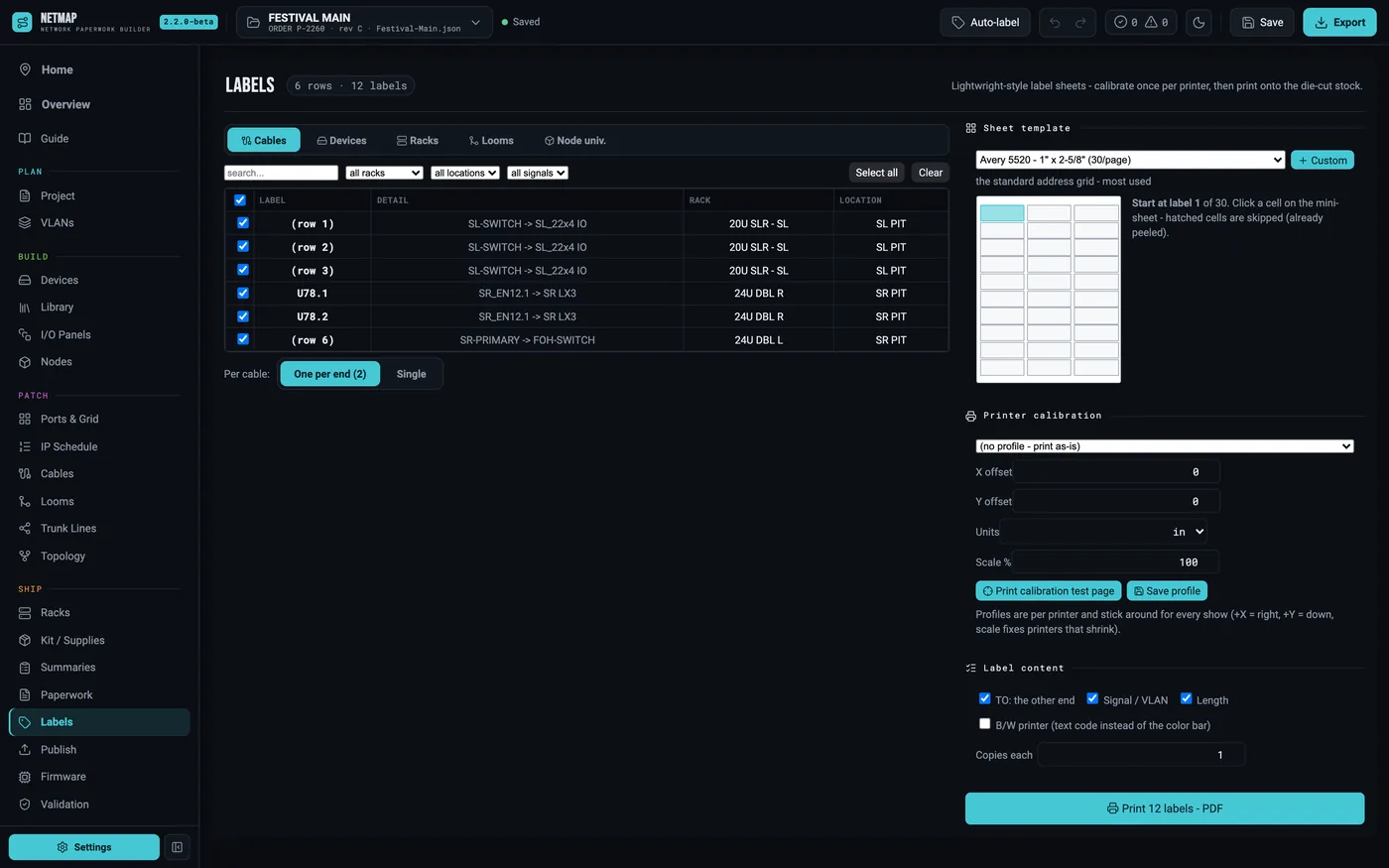
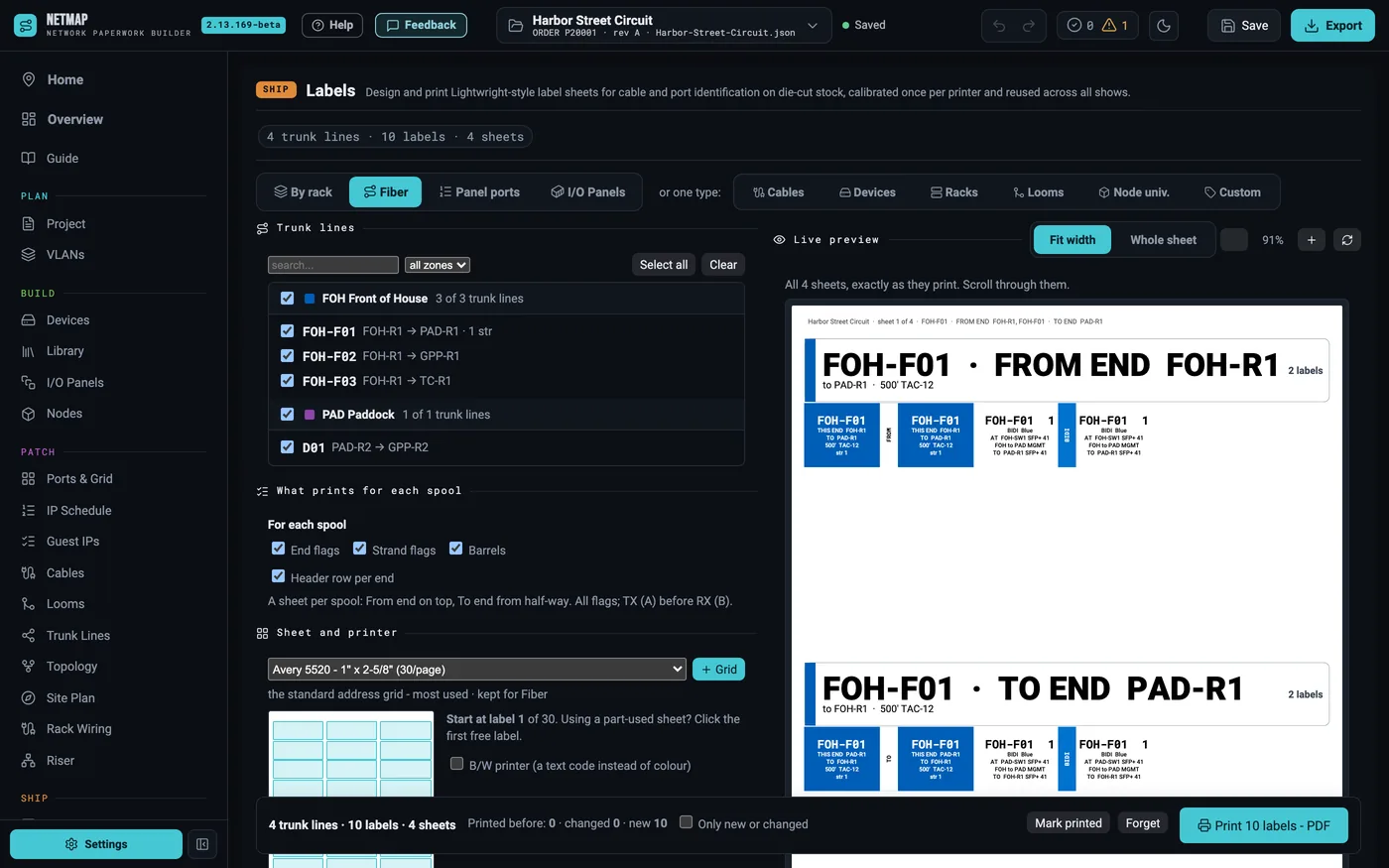
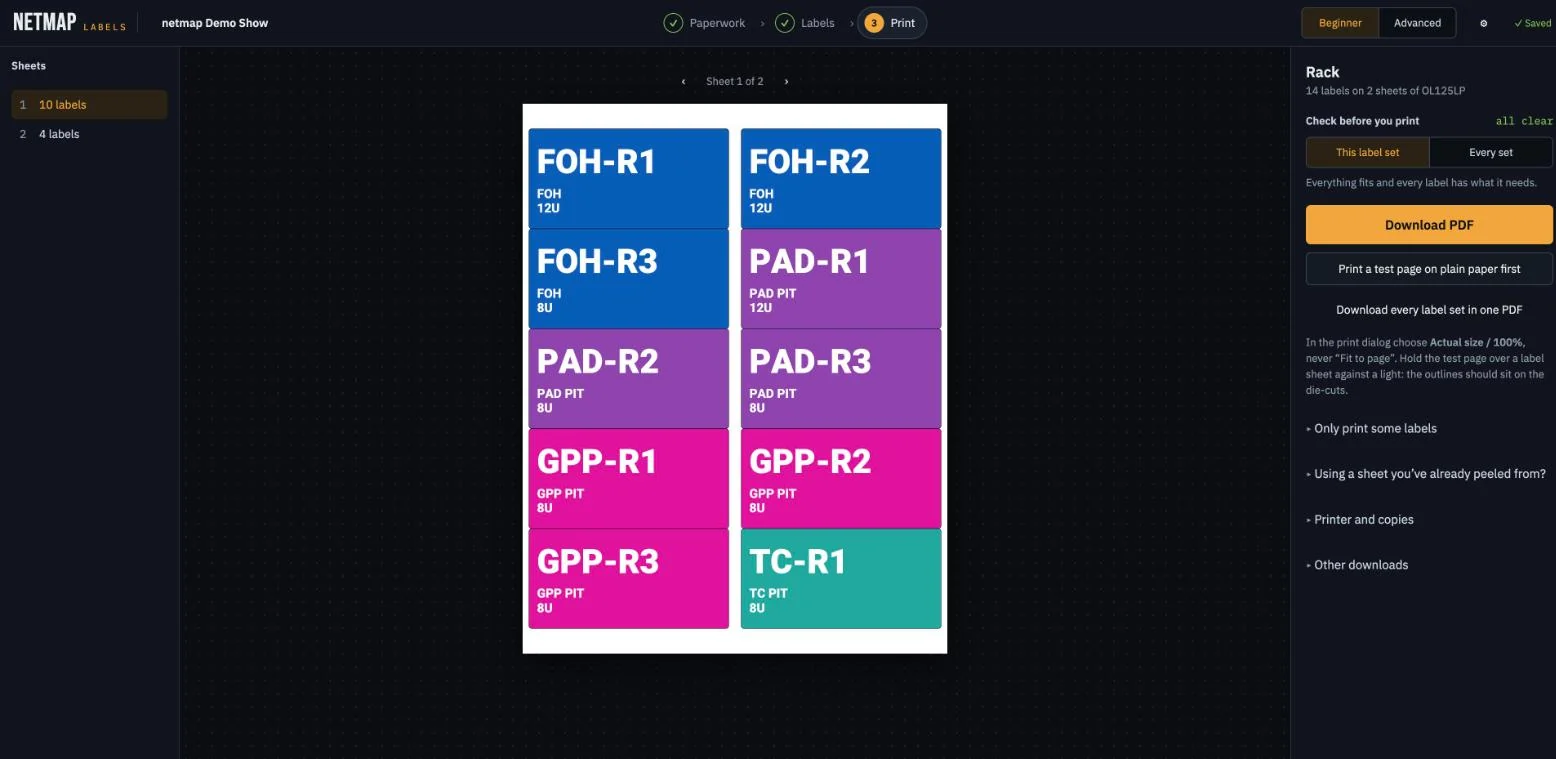
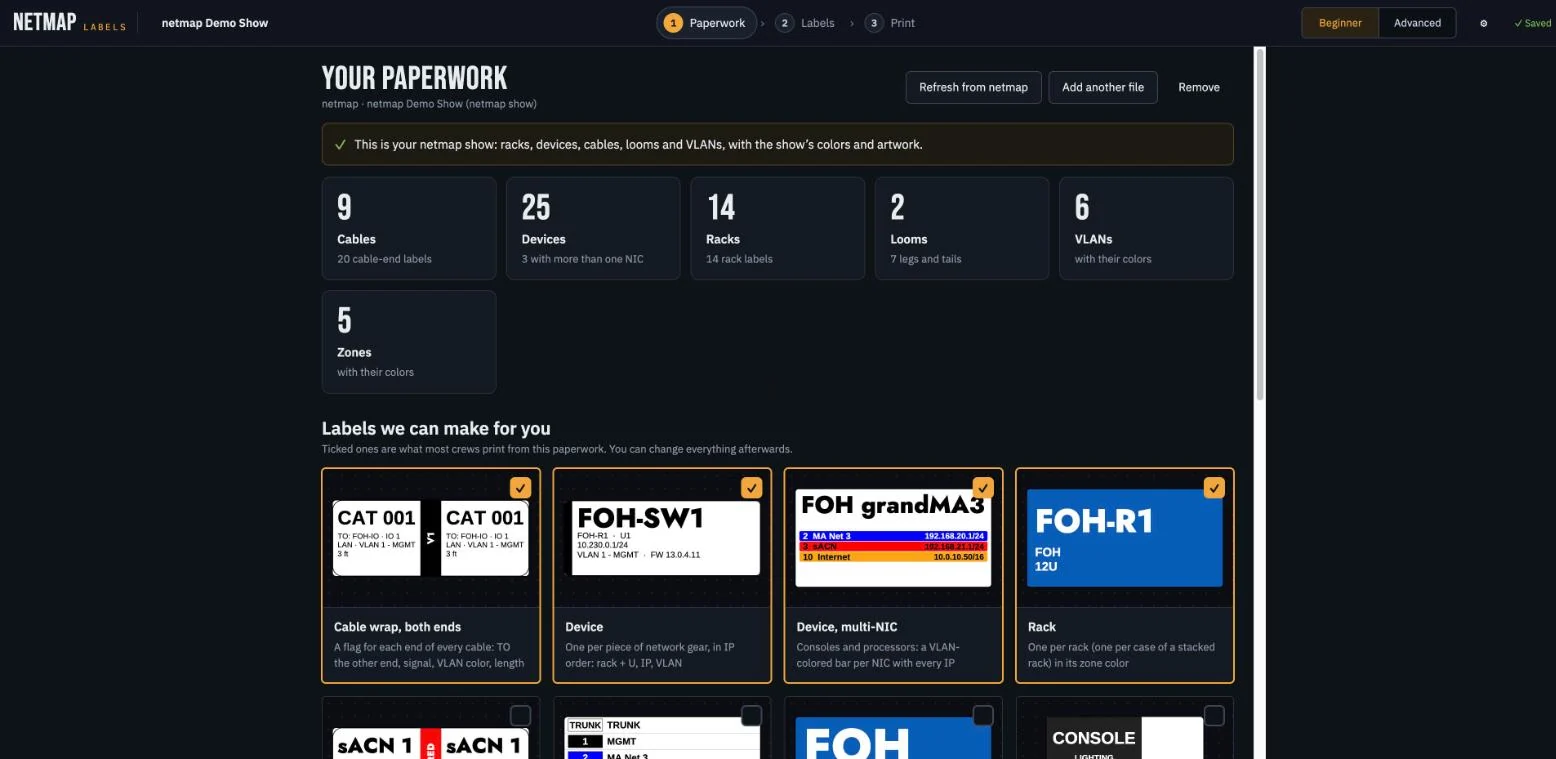
Cable, device, rack and loom labels on die-cut stock — Avery 5520 and the OnlineLabels catalog, VLAN color bars included. Your printer lies; netmap measures it with a calibration test page and saves the profile per printer.

Project
Lollapalooza 2026
Sheet
E-650
Rev
C
Labels tab with an Avery 5520 sheet preview, VLAN color bars and a calibration profile
Labels — calibrated sheets
Phase 05 · Publish

The book goes where the crew is.

SHT E-500

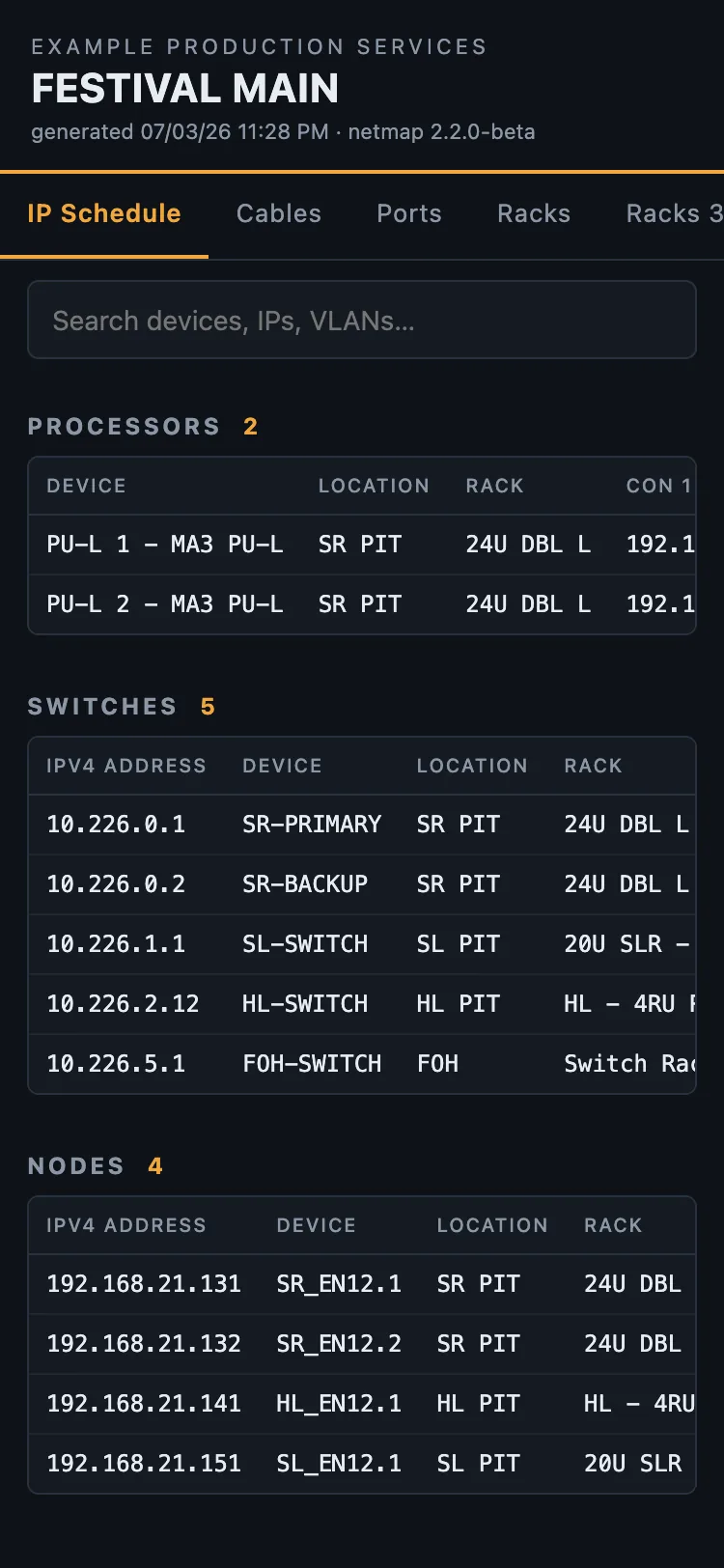
Studio publishes the paperwork to netmap.show/publish/you/show — the crew opens the whole book on their phones. Searchable IP schedule, cable schedule, port maps, and the 3D rack orbit. No app install.

The crew works from it

Not a PDF to squint at — a page the crew runs the show from. They tap pull-sheet rows as the cable goes in, live progress per rack, and flag a problem on any row for everyone to see. Guest LDs claim their own open IPs, universe chunks and dry lines, or send a ClearCom or ShowKontrol request without claiming anything at all — and every sign-up is one click from landing in your schedule.

You stay in control

Opt-in per publish. Optional PIN. Links live 14 days and extend from the app. View counts, every check-off, flag and sign-up come back to you.

Project
Lollapalooza 2026
Sheet
E-500
Rev
C
Publish tab with the live slug preview, PIN, expiry countdown and publishes list
Publish tab — slug and PIN
Published show on a phone: the node universe-grid cards
Published show on a phone: the IP schedule tab of the crew page

The crew page · IP schedule and the node grid, on a phone at load-in

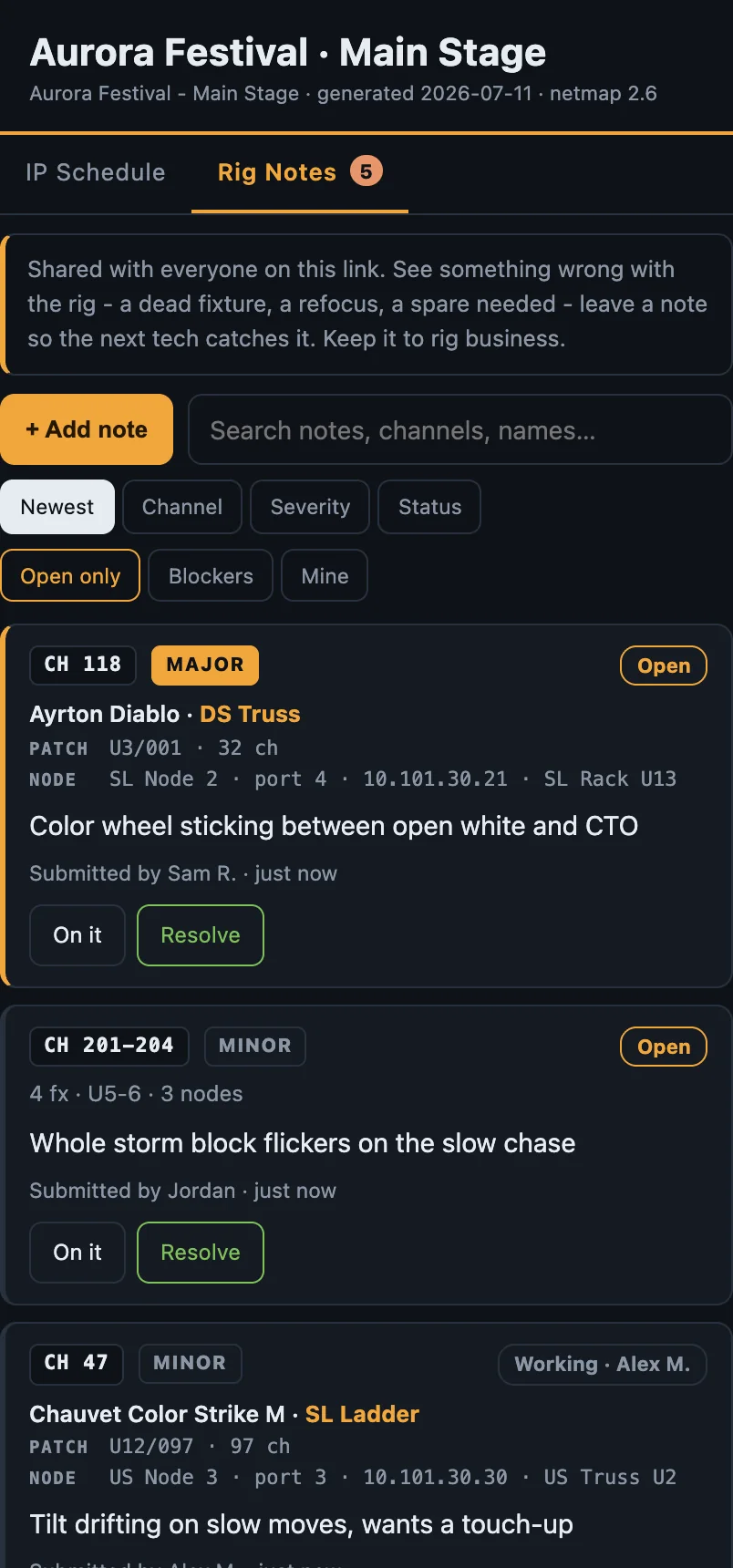
Rig Notes · Studio

Every note connects to the patch.

Live on the published page
Rig Notes on a published show, on a phone: crew notes with the fixture, position, universe and address, and node and port auto-filled from the MVR patch
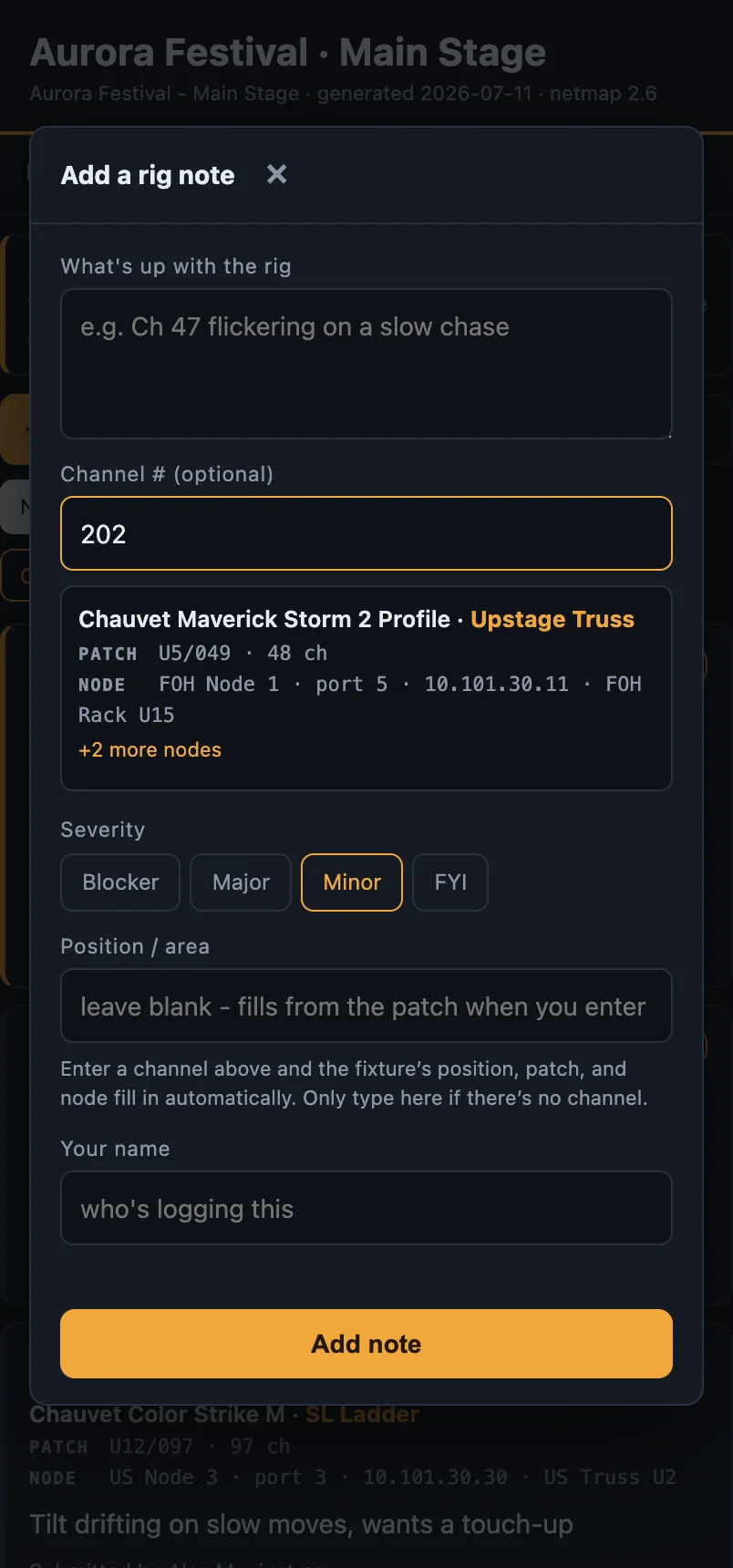
Adding a rig note on a phone: typing a channel number auto-fills the fixture, its position, the patch, and the node and port from the imported MVR

Type a channel — the fixture, position, patch and node fill in from your MVR. Shared with the crew, live.

Turn Rig Notes on when you publish and the page becomes a shared punch list for the whole crew. A tech types a channel; netmap reads your imported MVR and fills in the fixture, its position, the universe and address, and the node and port driving it. No lookups, no spreadsheet.

Patched from your plot

Type Ch 202 and the note reads Maverick Storm 2 · Upstage Truss · U5/49 · FOH Node 1 port 5. Positions come from the MVR, the node and port from your own network design. It even flags a channel that no node emits.

The whole crew, updating live

One link. Everyone logs and clears the same list through build, focus and overnight programming — mark a note on it, resolve it, reopen it, and the page updates for everyone. Every note lands back in the app, with a print-ready punch list for the morning.

The output

Drawing register · one show, one book
E-101
Rack ElevationsFront & rear, 2D and 3D, with per-rack build pages your crew can pack from.
E-102
Rack OverviewOne sheet, every rack — 3D iso and front elevation side by side with weight and power. A hero page you can hand a client.
E-136
Rack Wiring DiagramsA ConnectCAD-style internal wiring diagram per rack — every device drawn as a block, wires colored by VLAN and styled by medium (copper, fiber, DMX), and the runs leaving the rack labelled with where they land. Arrange it by hand and it stays arranged.
E-135
Loom Build SheetsSpec a loom once — identity color, tape marker, member legs — and every leg lands in the cable schedule.
E-201
Master IP ScheduleEvery device, every NIC — VLAN-aware, sortable by address, ready to hand to the network lead.
E-202
Guest IP & Universe ChartReserved IP ranges, sACN universe chunks and dry lines for guest LDs, VLAN-colored — print it to fill in on site, or let guests sign up for their own.
E-301
DMX / Universe MapNode assignments and universe colouring, with .mvr import to pull straight from the lighting plot.
E-302
grandMA3 sACN LinesThe sACN schedule your console needs, written from your own nodes — in grandMA3's own columns and its own range encoding, unicast or multicast. Export the XML, drop it in the console and press Import.
E-401
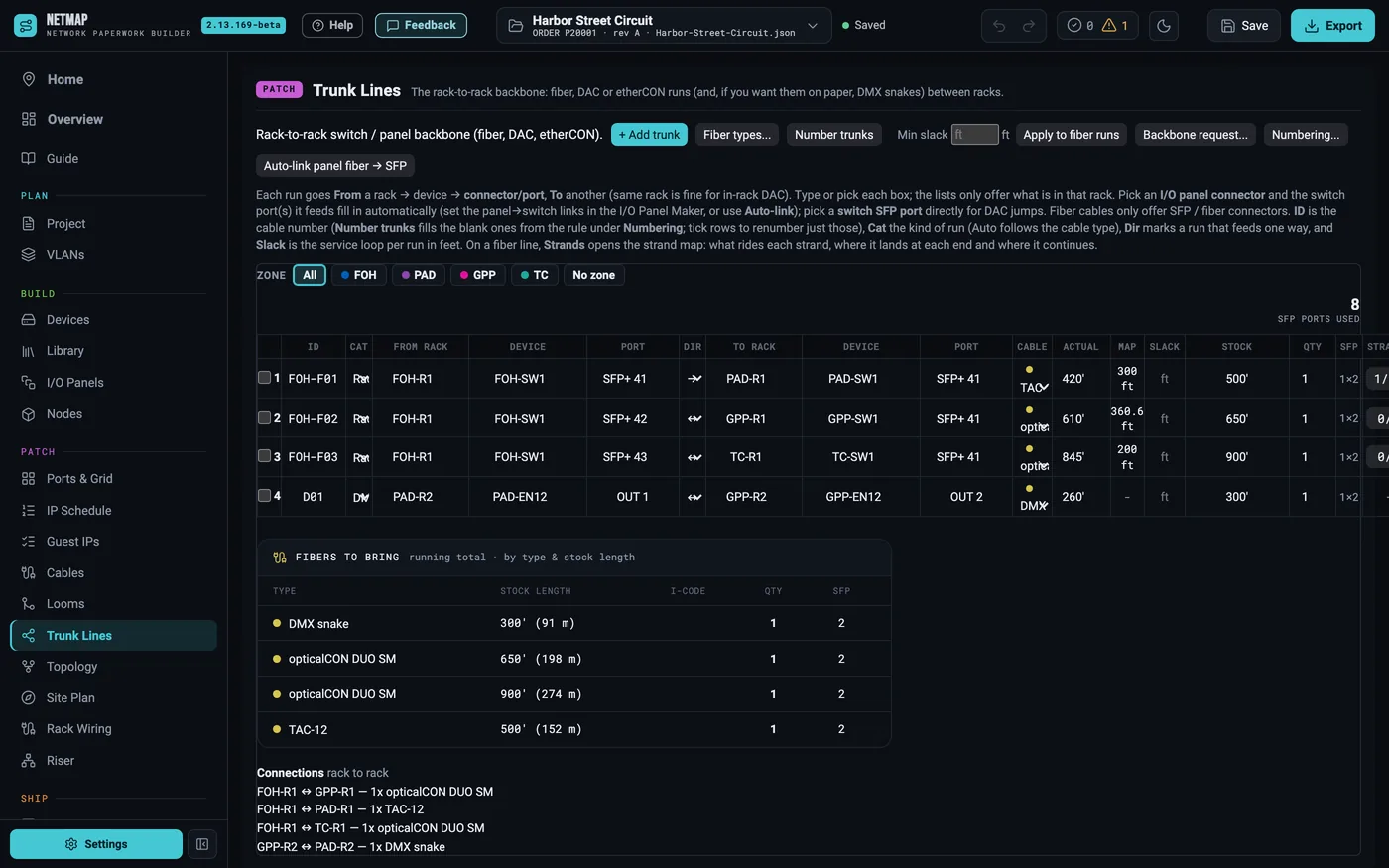
Switch Ports & WiremapsPer-switch port maps, trunk lines and SFP counts — the wiring, not the guesswork.
E-402
VLAN Legend & Subnet AuditYour VLAN scheme on one sheet, with overlap and range checks that catch the mistake before load-in.
E-403
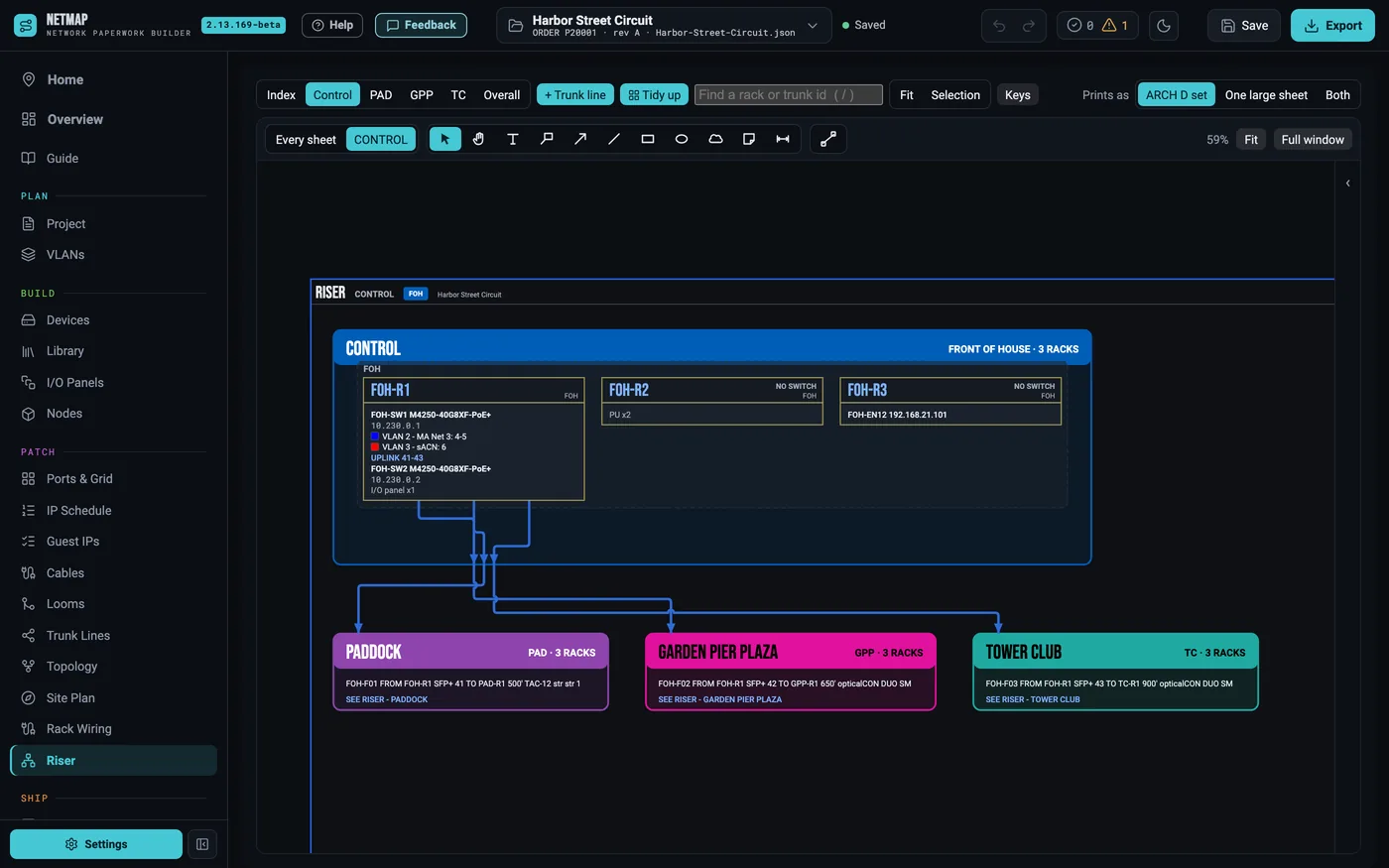
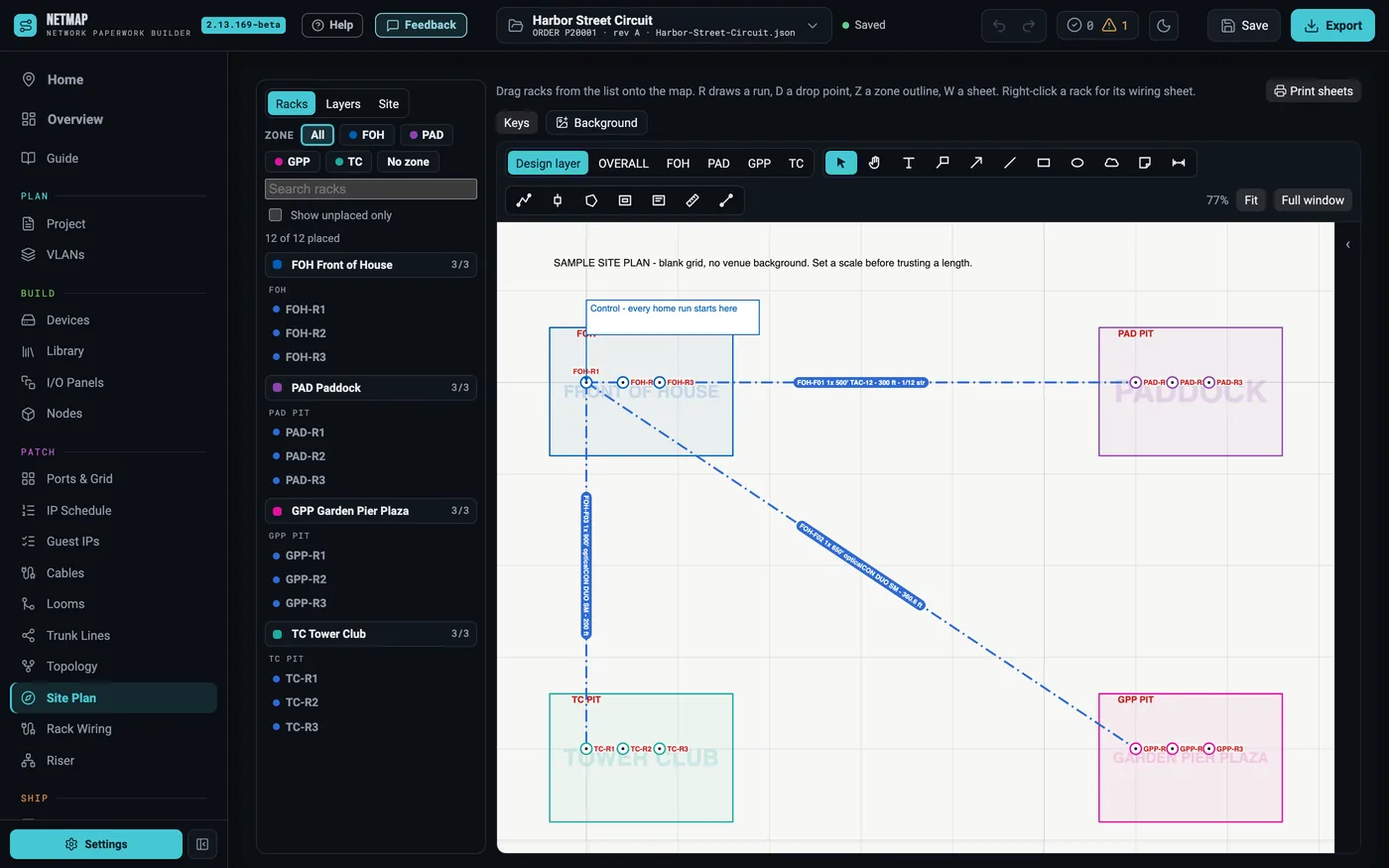
Venue Network MapDrop the venue drawing in, set the scale, place the racks and route the fiber — netmap measures every run and prints the map with a route table: measured against the length you entered, the slack, and the stock you assigned.
E-501
I/O Panel Build SheetsCustom faceplates and punch layouts, laid out to build against.
E-601
Cable SchedulesPull sheets with lengths, connectors and adapters — priced and prepped for the shop.
E-650
Label SheetsCable, device, rack and loom labels on die-cut stock, VLAN color bars included — calibrated to your printer.
E-000
Drawing-Set ExportTitle blocks, drawing register and revisions — one branded PDF and Excel workbook, plotter-ready.
Rate card

Launch pricing · beta rides free
Early adopters 30% off your first year. A limited-time thank-you for getting on the build early.
Demo$0 forever

Starts as a 7-day full-feature trial, then keeps working as a free demo. Kick the tires for as long as you like.

  • Full editor, runs offline — 1 rack, 3 VLANs per show
  • 3D rack views, firmware notes
  • Device library up to 10 items
  • PDF/Excel exports print with a demo watermark
  • Community equipment library — browse only
Start free
Pro$29/mo · $290/yr

The working designer's tier. Full drawing sets, clean exports, no caps that matter on a one-desk show.

  • Everything in Demo, uncapped — 10 racks per show, unlimited VLANs, shows and library
  • QA & audit tools — IP + subnet audit, DMX audit, bulk renumber, MA budget
  • Community equipment library — add real-world gear straight into your shows Added by netmap users, human-reviewed before it ships.
  • Clean, unwatermarked drawing sets — PDF + Excel
  • 1 seat (one activated machine)
Studio$99/mo · $990/yr

Publish your show paperwork to the web — the crew opens the whole book on their phones, no app install. Everything in Pro, every add-on, and a backup seat on top.

  • Publish to web — put the whole book at netmap.show/publish/your-handle/your-show. Crew opens it on their phones; checks off pull sheets and flags problems; guest LDs claim their own IPs; 3D rack + fixture-plot orbit included. Optional PIN. Links live 14 days, extendable from the app.
  • Rig Notes — a shared, live rig punch list on the published page. A tech types a channel and the fixture, position, patch and node auto-fill from your MVR. The whole crew logs and clears it together; it prints as a punch list.
  • Cloud backup — switch it on once in Settings and every show you save also lands off-machine, along with your equipment library and defaults, restorable on any computer from the app or your account page. Your files still live on your machine; this is the copy that outlives the laptop.
  • Everything in Pro — unlimited racks, 2 seats (primary + backup)
  • All add-ons free — MVR, Labels and everything after
EnterpriseCustom · let's talk

For rental houses, production companies and institutions running netmap across a whole team — your shop's standards on every seat.

  • Everything in Studio, org-wide — 5 seats to as many as the shop needs
  • Company standards pack — your equipment library, VLAN scheme, rack containers and title block, loaded on every seat New hires open netmap and it's already your shop.
  • Seat management — add, remove and reassign people as crews change
  • Direct invoice / PO billing and volume pricing — no card required
  • Priority support and onboarding, from the person who builds it
  • On the enterprise roadmap: standards lock (field techs can't drift from the shop spec) and org-branded publish links
Talk to us about Enterprise
Add-onsà la carte on any paid tier · free in Studio · annual ≈ 2 months free
$9/mo
MVR ImportPull the fixture plot straight from Vectorworks — fixtures, universes and addresses from any .mvr export.Free in Studio
$9/mo
LabelsLightwright-style label sheets: cable, device, rack, loom + node universe labels. OnlineLabels + Avery presets, printer calibration.Free in Studio
$19/mo
Pro Max BundleBest valueEvery add-on, one line item — MVR, Labels, and the add-ons that come after them.Free in Studio
Included freeevery tier, no add-on
Free
LoomsConsole and network loom build sheets — spec a loom once, stamp it into the show's cable schedule. Free for all tiers.

Private beta runs free with full features. Pricing shown is the current plan and can change at any time, with or without notice — changes apply going forward, never to time you've already paid for. Annual is ~2 months free. Add-on prices are per user per month. Prices in USD.

Private beta · now onboarding

Get on the build.

netmap is drafting real show packages today. I'm bringing on a small group of network and systems folks for early access — full features, no watermark, and a direct line to me for what it should do next. At launch it opens with a 7-day trial.

macOS + Windows · no card required · your data stays on your machine