Publish the book to the crew
Sheet G-107 · from the in-app Guide · updated 2026-08-31
The short version
- Pick the sections, set a slug, and the book goes read-only to netmap.show/publish/you/show.
- Optional PIN; links live 14 days and extend from the app; view counts show who's actually looking.
- The crew opens it on their phones — IP schedule, cables, ports, and the 3D rack orbit. No install.
- Opt-in: let the crew check off pull sheets and flag problems, and let guest LDs claim their own IPs, universes and dry lines — or send a ClearCom / ShowKontrol request without claiming anything. It all comes back to you.
01Publish is a copy, not a sync
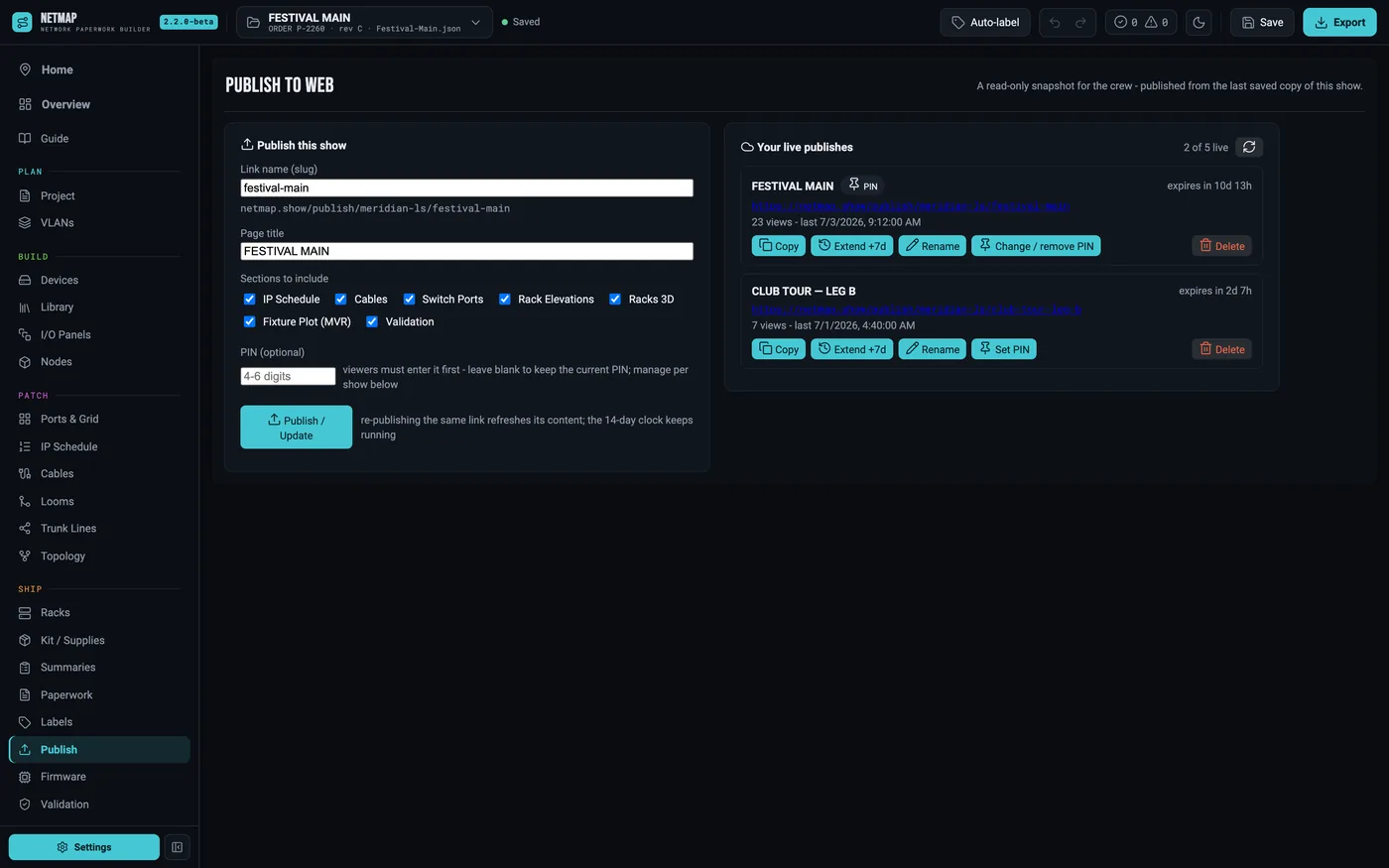
Publishing puts a read-only snapshot of the paperwork you selected at a public link. Your show file never leaves your machine until you hit Publish, and what goes up is exactly the sections you ticked — IP schedule, guest IPs, nodes, trunk lines, looms, port maps and the VLAN grid, the venue map, rack wiring, the rack views and the 3D racks, the MVR fixture plot and patch tables, the grandMA3 sACN lines, and validation. Re-publish to update; delete to take it down. Five shows can be live at once.
02Slug, PIN, expiry
The slug preview shows the real URL as you type — netmap.show/publish/your-handle/your-show. Set a PIN if the paperwork shouldn't be fully public; the crew types it once per device. Links expire after 14 days by default, and the publishes list shows each link's countdown with a one-click Extend +7d — plus views and last-opened, so you know whether the A2 ever actually opened the book.
03What the crew sees
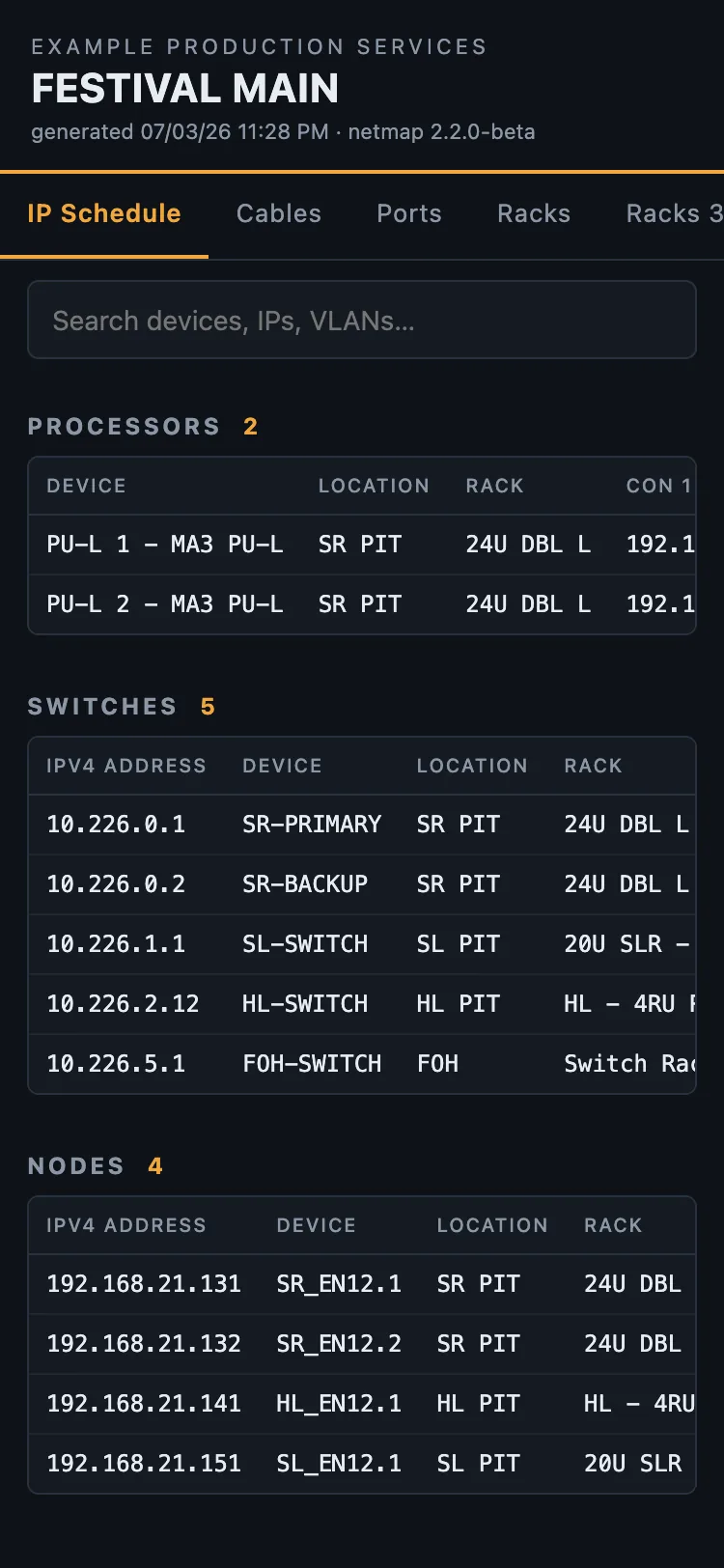
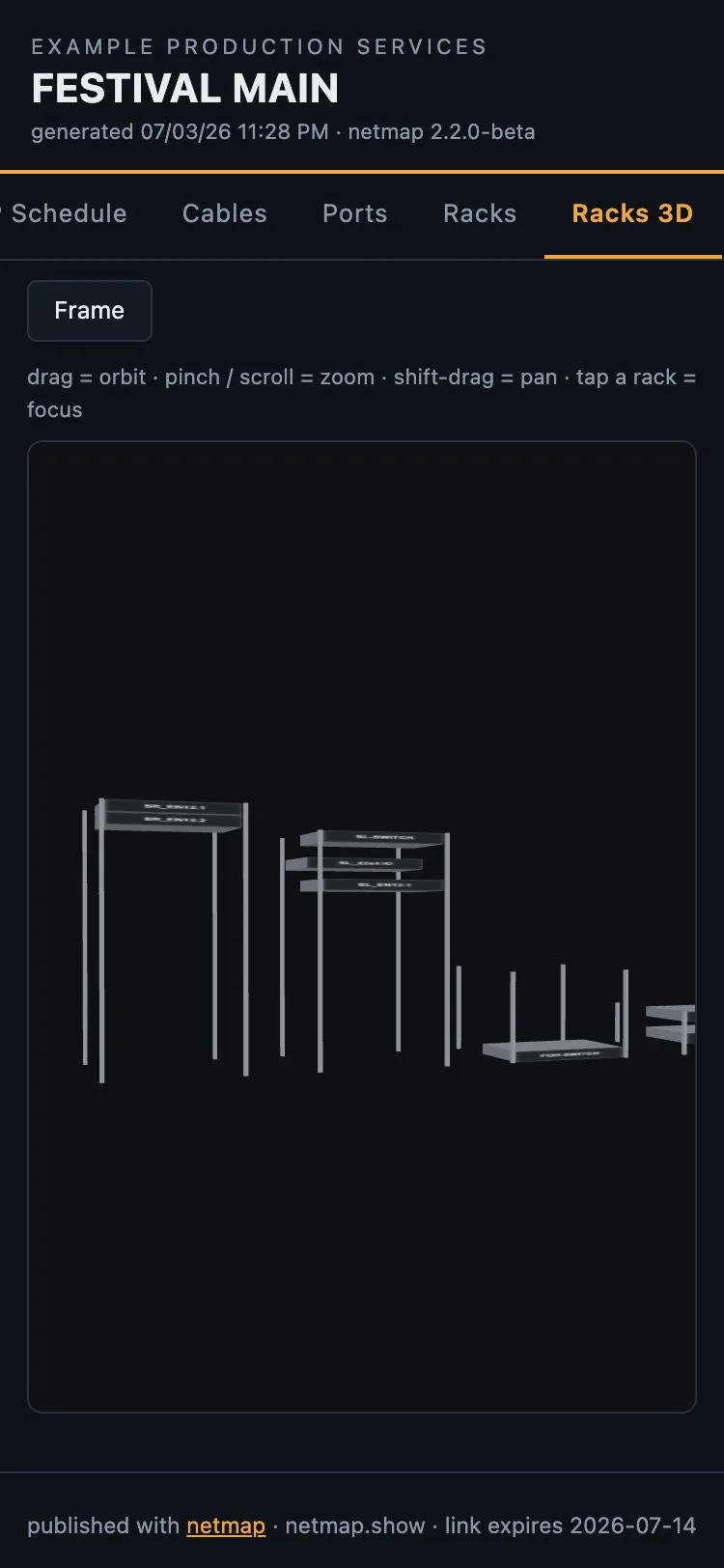
A phone-first page with the paperwork as live tables — the Master IP Schedule, node universe grids and port maps, searchable and readable at the dimmer beach. The venue map with its measured routes, the per-rack wiring diagrams, the MVR patch tables, and the grandMA3 sACN lines with the console XML to download. And the racks in 3D: the same orbit view as the app, running in the browser on a phone. Load-in stops being "who has the binder."
04Let the crew work from it
Tick on-site crew tools when you publish and the page stops being read-only in the ways that matter on a load-in. Crew tap pull-sheet rows as the cable goes in — cables, trunks and ports get a check cell, with live progress per rack — and anyone can flag a problem on any row with a note, so a dead port shows red for the whole crew. Every check and flag lands in the app on the publish, where you clear flags and reset the checks for day two. The paperwork itself never changes; this is operational state layered on top.
05Guest LDs sign themselves up
Reserve guest IP ranges, universe chunks and dry lines on the Guest IPs tab, then publish with guest sign-ups on. A visiting LD opens the page, taps an open slot, and enters their name, artist, phone and email. The page shows "artist — name" beside the slot so the crew can see who has it; the phone and email come to you alone.
Back in the app, Check web sign-ups brings the list in, contact details included. Apply is the step that writes it into your guest rows, so the printed handoff and your IP schedule fill themselves in. Confirming and applying are deliberately separate: confirming is the promise back to the guest, applying is what changes your paperwork.
Turn on auto-confirm and a guest is told confirmed the moment they sign up, so you are never the bottleneck. Either way the slot is held immediately, so nobody signs up twice just in case. And you can schedule one reminder for show morning: every guest gets their current numbers, sent by the service, with netmap closed.
Full walkthrough, including the ClearCom and ShowKontrol request cards: taking guest sign-ups.
Publish to web is part of Studio · see the rate card