One export screen, presets, and your own title block
Sheet G-116 · from the in-app Guide · updated 2026-10-17
The short version
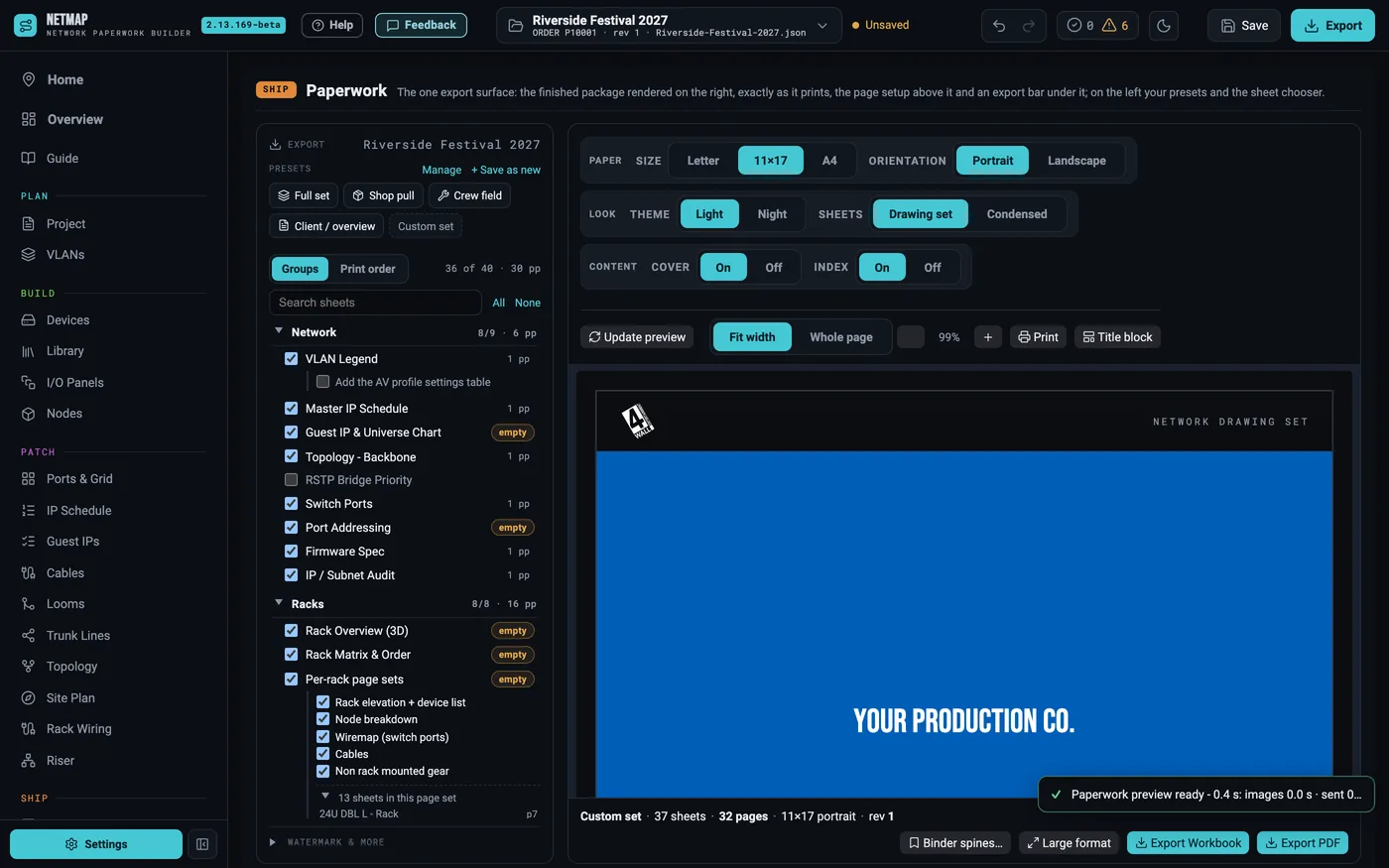
- The Paperwork tab is the one export screen: presets and the sheet chooser on the left, the real export previewed on the right.
- A preset keeps its ticked sheets and its own print order, and follows your account to every machine.
- Title block designs the band along Letter, 11×17 and A4 pages and the ARCH D rail.
- The export bar says what you will get before you click: sheets, pages, paper and revision.
01Pick the sheets, in your order
The sheet chooser has two views. Groups lists the sheets by section with how many pages each prints; a sheet the show has nothing for says so. Print order lists what is ticked exactly as it prints — drag a row to move it. Racks print by build (identical racks once) or every rack, and each rack's parts are yours to pick.
02Presets
Change a preset's ticks or order and a bar says what changed: Save to preset keeps it, Undo changes goes back. + Save as new makes a preset from what is ticked. Presets sync with your account, so the office machine and the laptop print the same book.
03Your title block
The Title block button edits both formats: the band along the foot of Letter, 11×17 and A4 pages, and the rail down an ARCH D sheet. Stack rows, pick fields or type your own text, and save it for every show or just this one. Add the Zone field and every zone packet page names its zone.
04Export
One paper size per PDF: everything prints on your page size, and ARCH D drawings and the four-up plotter sheet are their own PDFs under Large format. Export Workbook writes the same set as Excel. Download names read like Show_Drawing-Set_revC_2026-09-12.pdf, so a folder of revisions sorts itself.
Clean, unwatermarked exports with Pro and Studio; the demo watermarks them