Rack builds, stock cases, and swapping a rack
Sheet G-114 · from the in-app Guide · updated 2026-10-17
The short version
- Racks built the same way are recognised as one build; its sheet prints once, with the list of racks built from it.
- A saved rack or a stock container can be applied to any rack — or dropped straight onto it.
- Switches and nodes keep their names, IPs, VLANs, universes and links; spares keep a slot; fiber and I/O panels stay landed.
- To change just the switch model, Swap model on the device — one, its zone, or the whole show.
01Builds
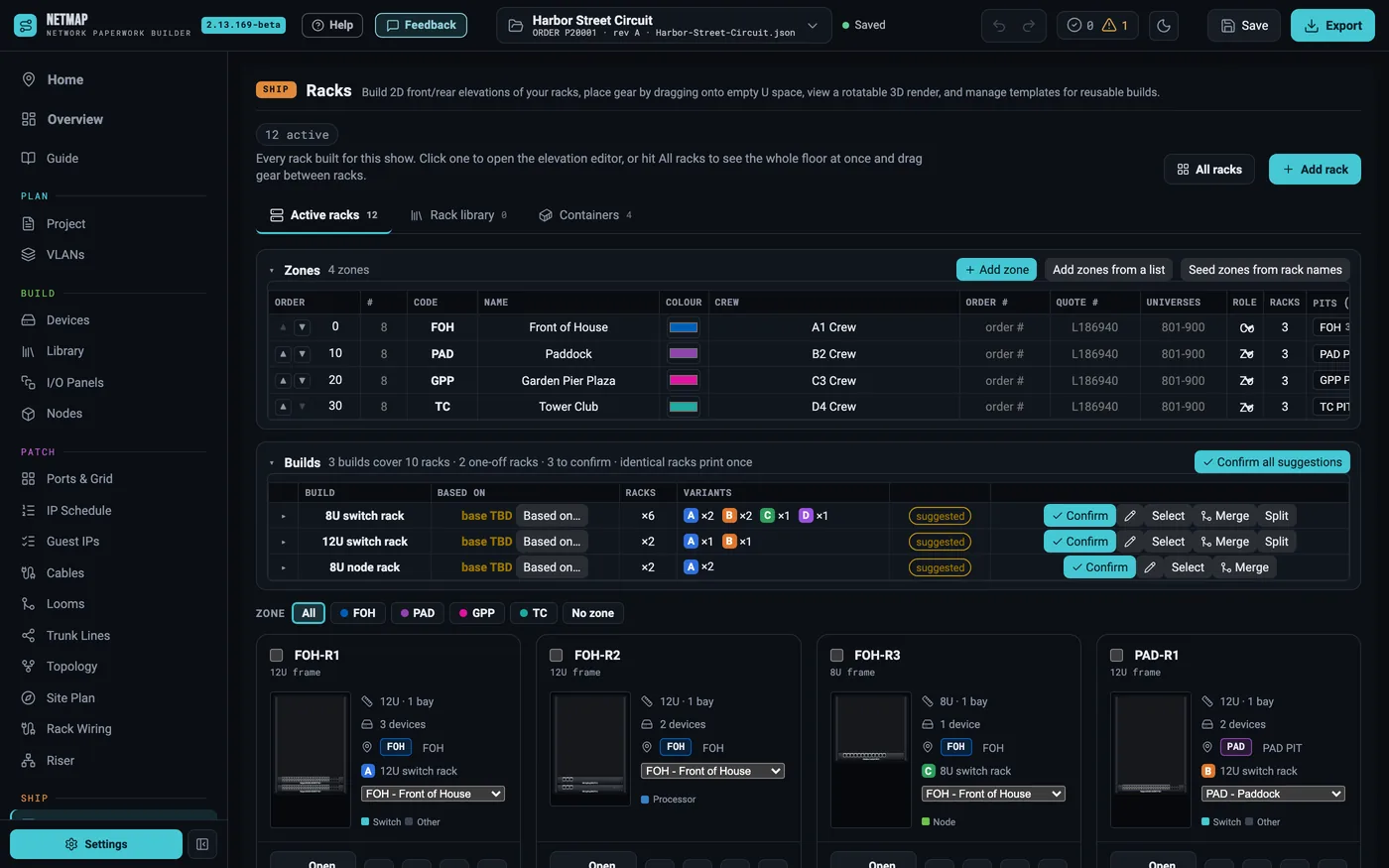
Twelve endpoint racks built the same way are one build, not twelve drawings. The Racks tab groups them, the PDF prints each build's rack sheet once with a list of the racks built from it, and the workbook and crew page group them too. A build can be based on a saved rack from your Rack library.
02Swap in a different case
The budget changes and a rental-house case goes in instead. Drag the saved rack or container from the Rack library onto the rack, or use Apply rack type on the rack's bar to do one rack, a zone, or every planned rack at once. The dialog lists what keeps its identity, what stays, what comes in and what goes — and any switch port the new model does not have — before anything changes.
03What survives the swap
- Switches and nodes keep their names, IPs, VLANs, universes, zone and every link; each switch goes to the case's switch that fits its used ports, SFP trunks included.
- A device whose model does not change keeps all of itself — port setup, power, block layout — and just moves to the case's slot.
- Wired or addressed gear — fiber and I/O panels, anything a cable or strand lands on, anything with an IP — always stays.
- Spares live in the zone's first rack: they take a free U, else a blank's place, else optos move to the next rack in line (two always stay).
Only unwired gear the case replaces — power, blanks, optos — is removed, and it is listed first.
04Just the switch
Open the switch and use Swap model: pick the new model and do this one, every one of that model in its zone, or the whole show. Port rows carry over by port number; anything on a port the new model lacks is named before you confirm.
Rack builds and swapping are included on every tier — no add-on