Draw rack elevations in 2D and 3D
Sheet G-102 · from the in-app Guide · updated 2026-08-31
The short version
- Give every device a Rack and an RU — the elevations draw themselves, to scale.
- Flip 2D | 3D for a rotatable flight case; drag to orbit, scroll to zoom.
- Mark a saved rack a Container and it pulls as one unit on every summary.
01Elevations come from the device list
There is no separate drawing step. Racks are built automatically from each device's Rack / RU / RU-height / mounting on the Devices tab. Open a rack from the Racks landing page to edit its elevation; the flat 2D view shows front and rear together, to scale.
02The 3D view
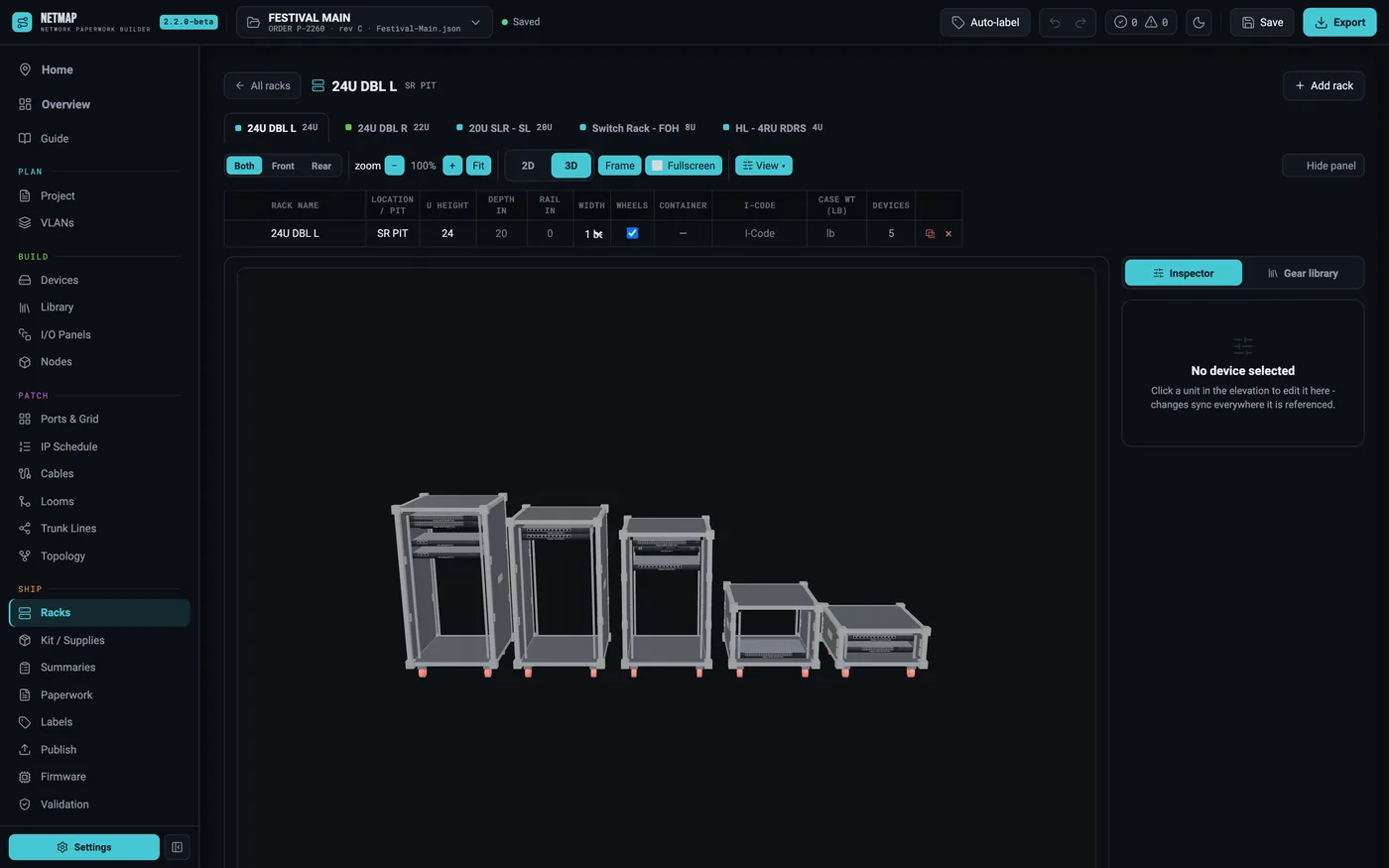
The 2D | 3D toggle swaps the flat elevation for a rotatable render — drag to orbit, scroll to zoom, Frame re-centers, Fullscreen fills the screen. The View menu toggles cosmetic panels (doors, vents, blanks), universe numbers, and the flight case itself. Faceplates use a library photo when one exists and a drawn vector faceplate when one doesn't.
Case width is one number — the Width stepper on the rack row, 1 to 4. 2 gives the classic double-wide (two 19" bays in one case, front L|R and rear mirrored); 3 and 4 build a wide FOH world, with the bays numbered 1..N. Custom case depth, wheels, and your shop's case logo are all supported.
03Build a touring container
A container is the shop term for a prebuilt case that pulls as one unit. Mark a saved rack as a Container in the rack library, and every rack you build from that template comes in locked: its gear shades grey in the device views (it travels in the container, not pulled on its own), the drawings get a CONTAINER badge, and the Pull / Prep Summary rolls the whole thing up to one line. Gear you drop into a container after the fact stays loose automatically — it never shades grey and it pulls on its own line. Tick the box on its Devices row only when you want it counted as part of the prebuilt case.
This is how the next show starts where the last one ended: the container, its gear, and its switch-port assignments come back in one click.
04Custom I/O panels land in the rack too
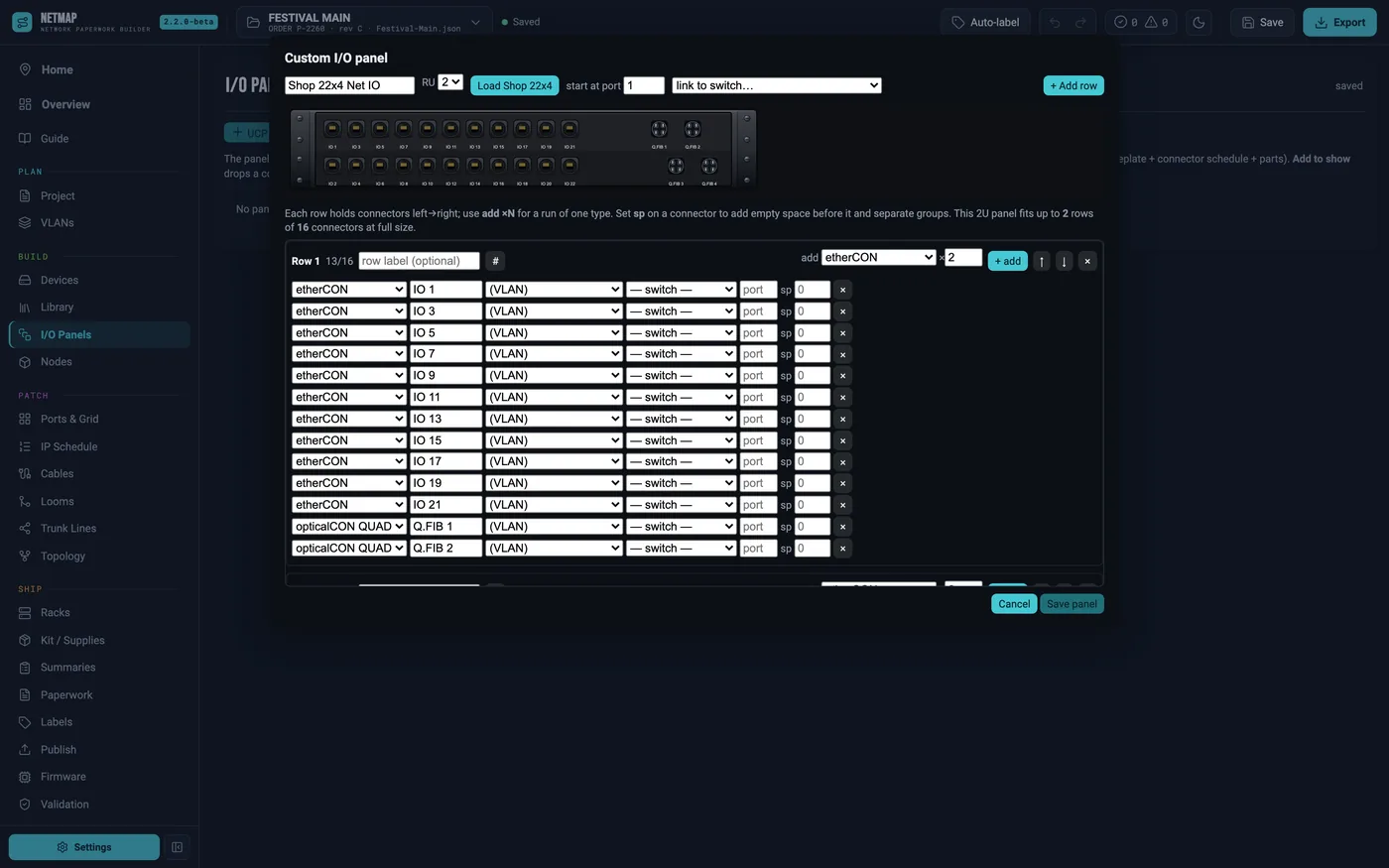
The panel maker builds Middle Atlantic UCP panels (drag plates and connectors into a frame) or fully custom punched plates — the shop-standard 22×4 is one click. Each networked connector carries its VLAN as a coding ring on the faceplate, and every panel gets its own build sheet in the export: faceplate drawing, connector schedule, parts list.
05What prints
Rack elevation sheets (front + rear, to scale), per-rack build pages your crew can pack from, a per-rack internal wiring diagram (every device as a block, port-to-port wires colored by VLAN, external runs as labelled tails), rack notes, I/O panel build sheets, and the Weight & Power sheet with per-rack totals for trucking. The touring rack build sheet is not a side effect — it's the deliverable.